首页
课程
问答
CTF
社区
招聘
峰会
发现
排行榜
知识库
工具下载
看雪20年
看雪商城
证书查询
登录
注册
首页
社区
课程
招聘
发现
问答
CTF
排行榜
知识库
工具下载
峰会
看雪商城
证书查询
社区
WEB安全
发新帖
3
5
[原创]【银行逆向百例】13小程序逆向之自动化反编译 云数据库获取密钥
发表于: 2025-9-21 16:39
3473
[原创]【银行逆向百例】13小程序逆向之自动化反编译 云数据库获取密钥
差不多的张三
2025-9-21 16:39
3473
“ 最无奈他自己 总是会慢人家一拍,没有钱在那口袋。——《笨小孩》 ” # 01环境版本 环境: 电脑,Windows 11 专业版 23H2 <a href="elink@55fK9s2c8@1M7s2y4Q4x3@1q4Q4x3V1k6Q4x3V1k6Y4K9i4c8Z5N6h3u0Q4x3X3g2U0L8$3#2Q4x3V1k6v1K9h3q4G2f1%4g2u0L8X3k6G2f1$3g2U0i4K6u0r3d9X3W2S2L8#2y4#2d9h3&6X3L8#2y4W2j5#2)9#2k6W2b7H3x3r3I4K6i4K6g2X3g2$3W2F1x3e0p5`.">JiaoSuInfoSec/JiaoSuInfoSec_T00ls_Win11: 角宿武器库官方发布页面</a> 软件: Yakit,v1.4.4-0808 <a href="elink@8edK9s2c8@1M7s2y4Q4x3@1q4Q4x3V1k6Q4x3V1k6%4N6%4N6Q4x3X3g2&6j5h3E0D9j5h3&6Y4i4K6u0W2j5$3!0E0i4K6u0r3">Yak Language Yak Program Language | Yak Program Language</a> 微信,Windows 3.9.10.19 <a href="elink@f04K9s2c8@1M7s2y4Q4x3@1q4Q4x3V1k6Q4x3V1k6Y4K9i4c8Z5N6h3u0Q4x3X3g2U0L8$3#2Q4x3V1k6@1L8$3#2Q4x3X3c8K6L8X3!0%4i4K6u0r3N6$3g2U0K9r3q4@1i4K6u0V1N6$3W2F1k6r3!0%4M7#2)9J5k6s2k6W2M7Y4y4A6L8$3&6K6i4K6u0r3M7X3g2D9k6h3q4K6k6i4x3`.">wechat-windows-versions</a> KillWxapkg,2.4.1 <a href="elink@449K9s2c8@1M7s2y4Q4x3@1q4Q4x3V1k6Q4x3V1k6Y4K9i4c8Z5N6h3u0Q4x3X3g2U0L8$3#2Q4x3V1k6m8j5$3E0A6N6r3g2K6i4K6u0r3d9$3W2D9L8q4N6^5j5i4m8C8k6H3`.`.">Ackites/KillWxapkg: 自动化反编译微信小程序</a> # 02自动化反编译 1、开启内置浏览器F12 ``` .\WechatOpenDevTools-Python.exe -c ``` 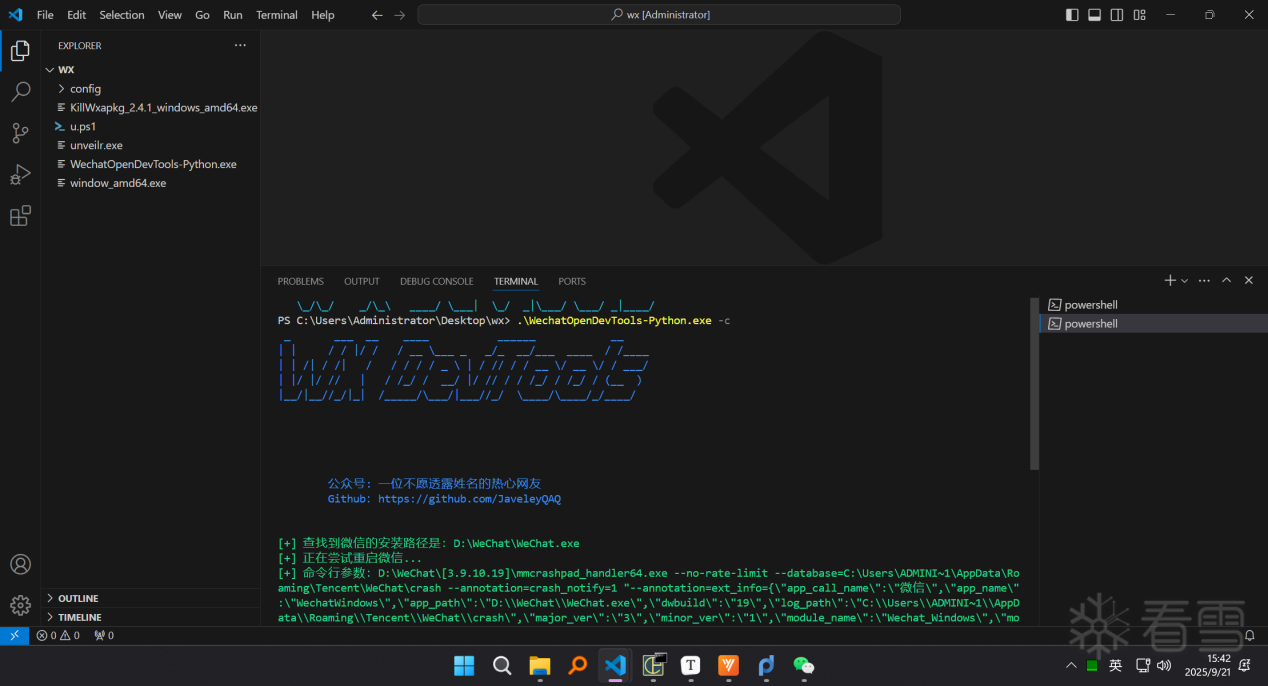 2、搜索银行关键字,点击检查打开控制台 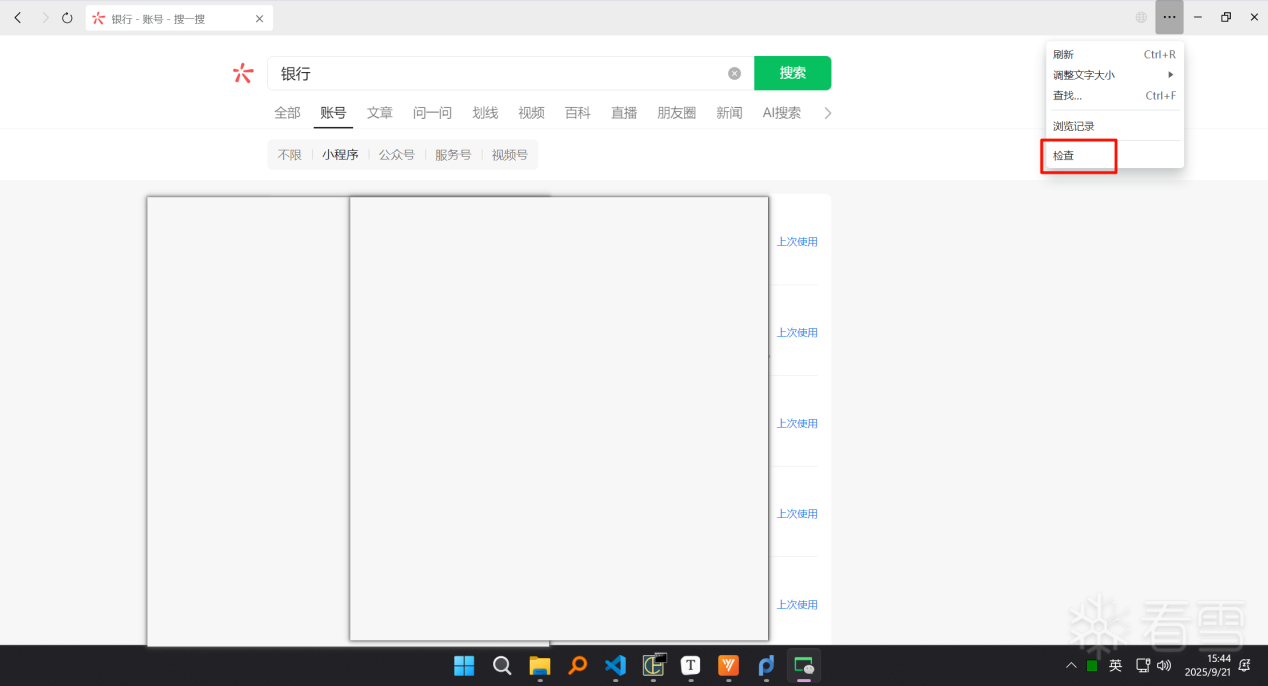 3、一直下滑直到末尾,加载了183个小程序 ``` document.getElementsByClassName("header-detail") ``` 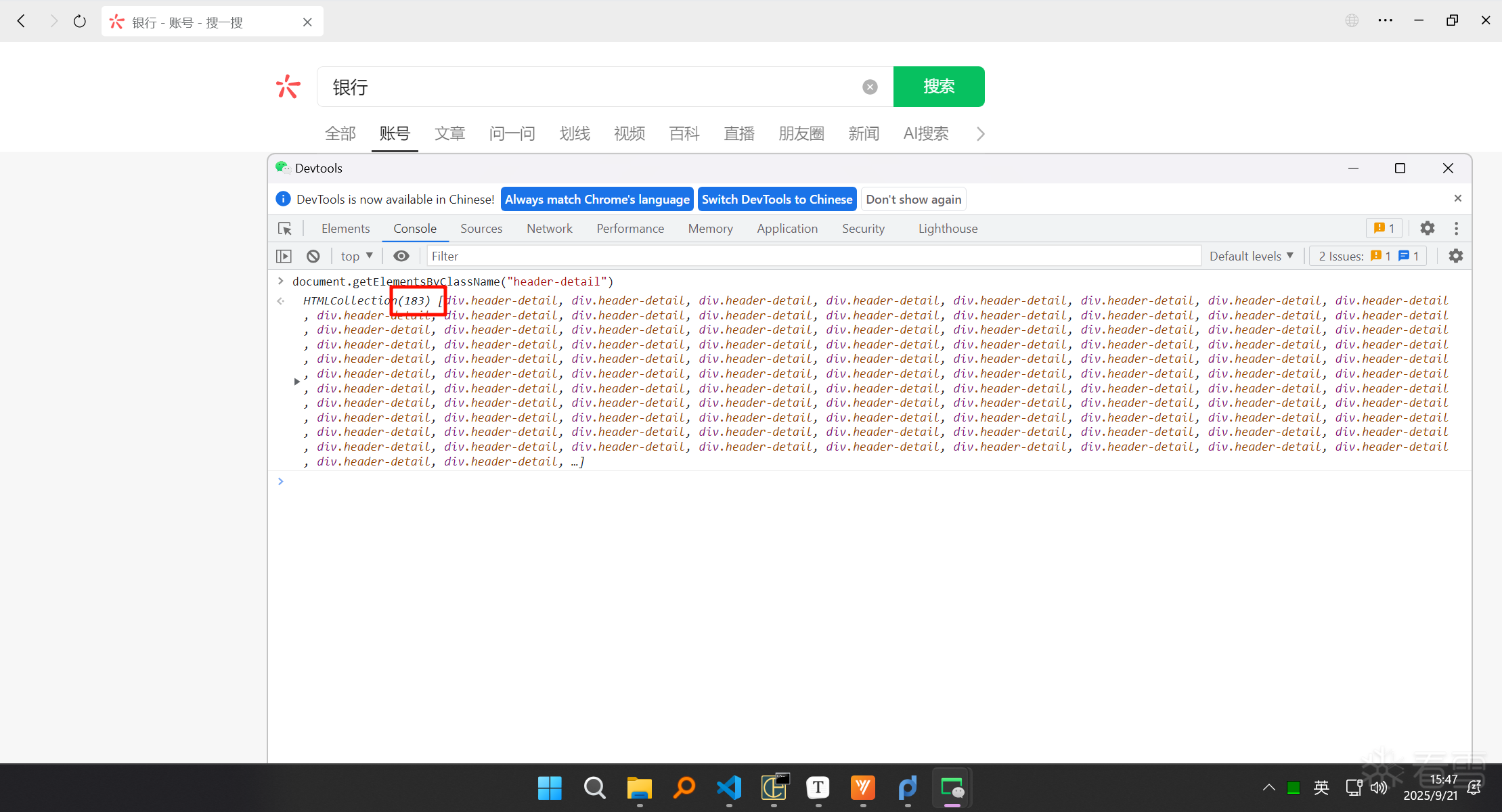 4、每次打开20个小程序,等待1分钟,手动关闭打开的小程序,继续打开剩下的小程序 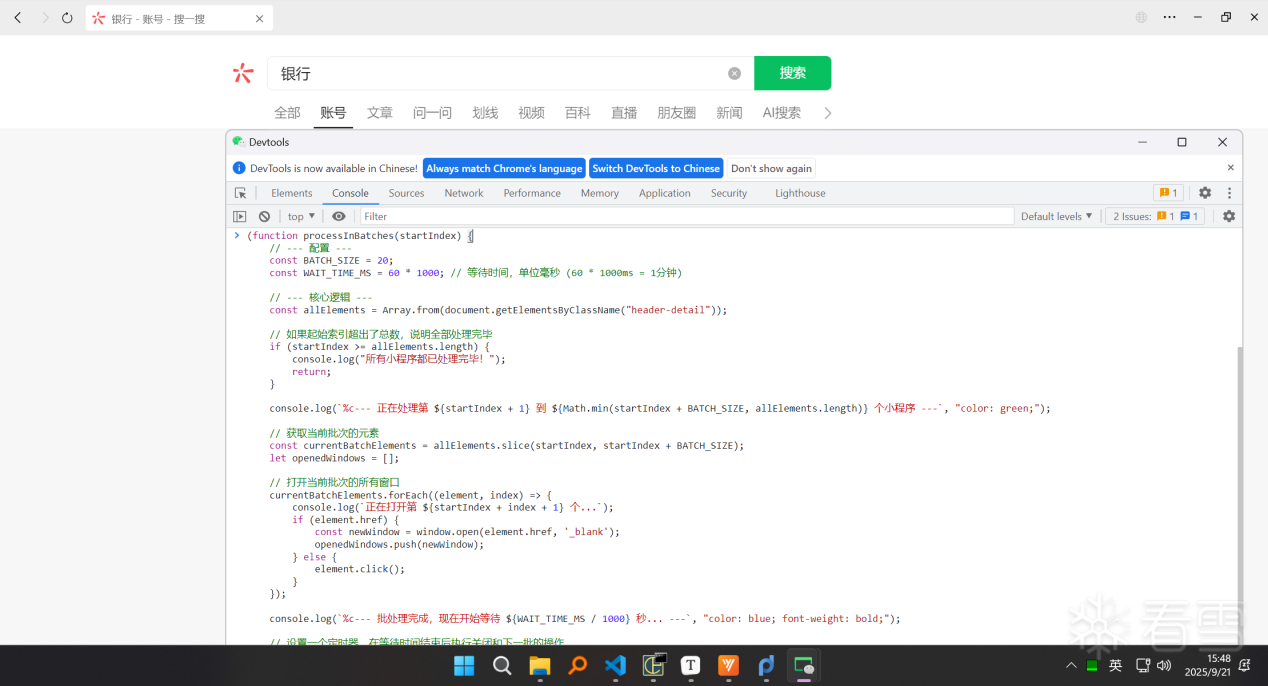 ``` (function processInBatches(startIndex) { // --- 配置 --- const BATCH_SIZE = 20; const WAIT_TIME_MS = 60 * 1000; // 等待时间,单位毫秒 (60 * 1000ms = 1分钟) // --- 核心逻辑 --- const allElements = Array.from(document.getElementsByClassName("header-detail")); // 如果起始索引超出了总数,说明全部处理完毕 if (startIndex >= allElements.length) { console.log("所有小程序都已处理完毕!"); return; } console.log(`%c--- 正在处理第 ${startIndex + 1} 到 ${Math.min(startIndex + BATCH_SIZE, allElements.length)} 个小程序 ---`, "color: green;"); // 获取当前批次的元素 const currentBatchElements = allElements.slice(startIndex, startIndex + BATCH_SIZE); let openedWindows = []; // 打开当前批次的所有窗口 currentBatchElements.forEach((element, index) => { console.log(`正在打开第 ${startIndex + index + 1} 个...`); if (element.href) { const newWindow = window.open(element.href, '_blank'); openedWindows.push(newWindow); } else { element.click(); } }); console.log(`%c--- 批处理完成,现在开始等待 ${WAIT_TIME_MS / 1000} 秒... ---`, "color: blue; font-weight: bold;"); // 设置一个定时器,在等待时间结束后执行关闭和下一批的操作 setTimeout(function() { console.log(`%c正在关闭 ${openedWindows.length} 个已打开的小程序...`, "color: red;"); openedWindows.forEach(win => { if (win && !win.closed) { win.close(); } }); // 递归调用自身,处理下一批 processInBatches(startIndex + BATCH_SIZE); }, WAIT_TIME_MS); })(0); // 立即执行函数,并从索引 0 开始 ``` 5、下载全部__APP__.wxapkg ``` C:\Users\Administrator\Documents\WeChat Files\Applet ``` 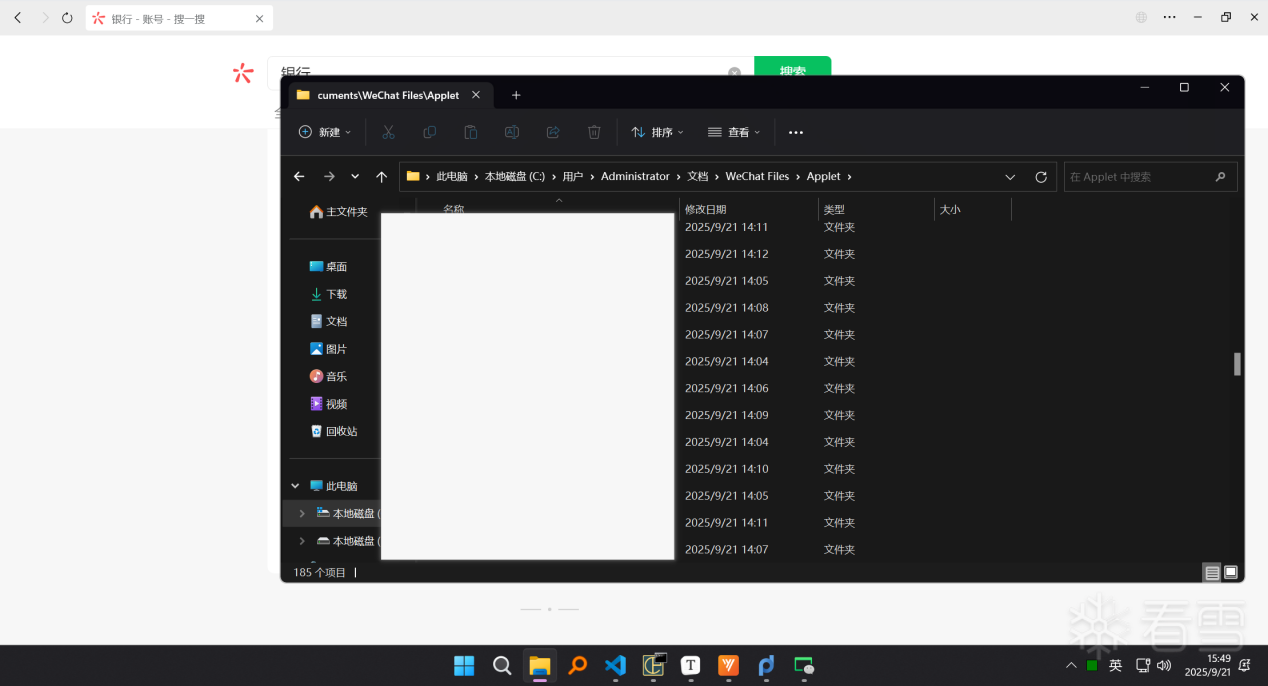 6、批量反编译小程序 ``` .\u.ps1 ``` 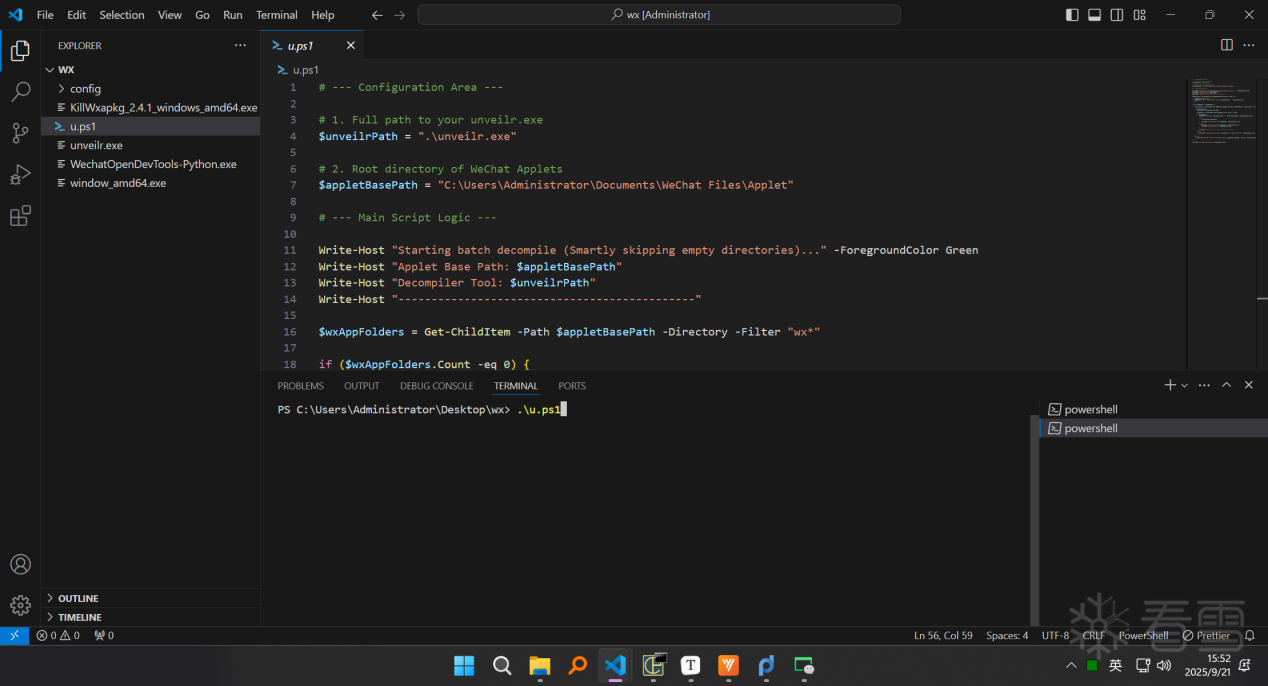 ``` # --- Configuration Area --- # 1. Full path to your unveilr.exe $unveilrPath = ".\unveilr.exe" # 2. Root directory of WeChat Applets $appletBasePath = "C:\Users\Administrator\Documents\WeChat Files\Applet" # --- Main Script Logic --- Write-Host "Starting batch decompile (Smartly skipping empty directories)..." -ForegroundColor Green Write-Host "Applet Base Path: $appletBasePath" Write-Host "Decompiler Tool: $unveilrPath" Write-Host "---------------------------------------------" $wxAppFolders = Get-ChildItem -Path $appletBasePath -Directory -Filter "wx*" if ($wxAppFolders.Count -eq 0) { Write-Host "Error: No 'wx*' folders found in '$appletBasePath'." -ForegroundColor Red exit } foreach ($appFolder in $wxAppFolders) { $versionFolder = Get-ChildItem -Path $appFolder.FullName -Directory | Where-Object { $_.Name -match "^\d+$" } | Select-Object -First 1 if ($versionFolder) { $targetPath = $versionFolder.FullName $wxapkgFiles = Get-ChildItem -Path $targetPath -File -Filter "*.wxapkg" if ($wxapkgFiles) { Write-Host "Processing: $($appFolder.Name) -> $($versionFolder.Name)" -ForegroundColor Yellow try { & $unveilrPath $targetPath Write-Host "Finished processing: $targetPath" -ForegroundColor Cyan } catch { Write-Host "Failed to process: $targetPath" -ForegroundColor Red Write-Host "Error details: $_" -ForegroundColor Red } Write-Host "---------------------------------------------" } else { Write-Host "Skipping empty directory: $targetPath (No .wxapkg files found)" -ForegroundColor Gray } } else { Write-Host "Warning: No version sub-folder found in $($appFolder.FullName), skipping." -ForegroundColor Magenta } } Write-Host "All applets processed!" -ForegroundColor Green ``` # 03逆向分析 7、打开Applet目录全局搜索wx.cloud.init云函数初始化关键字 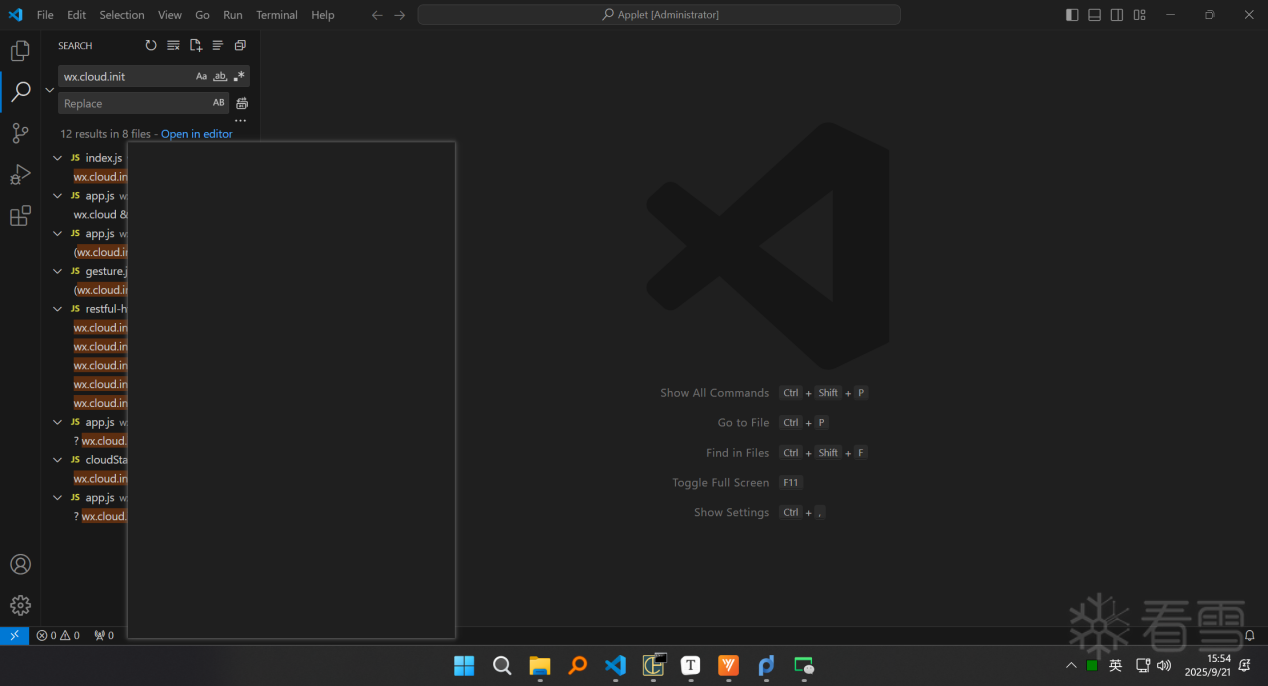 8、请求响应加密 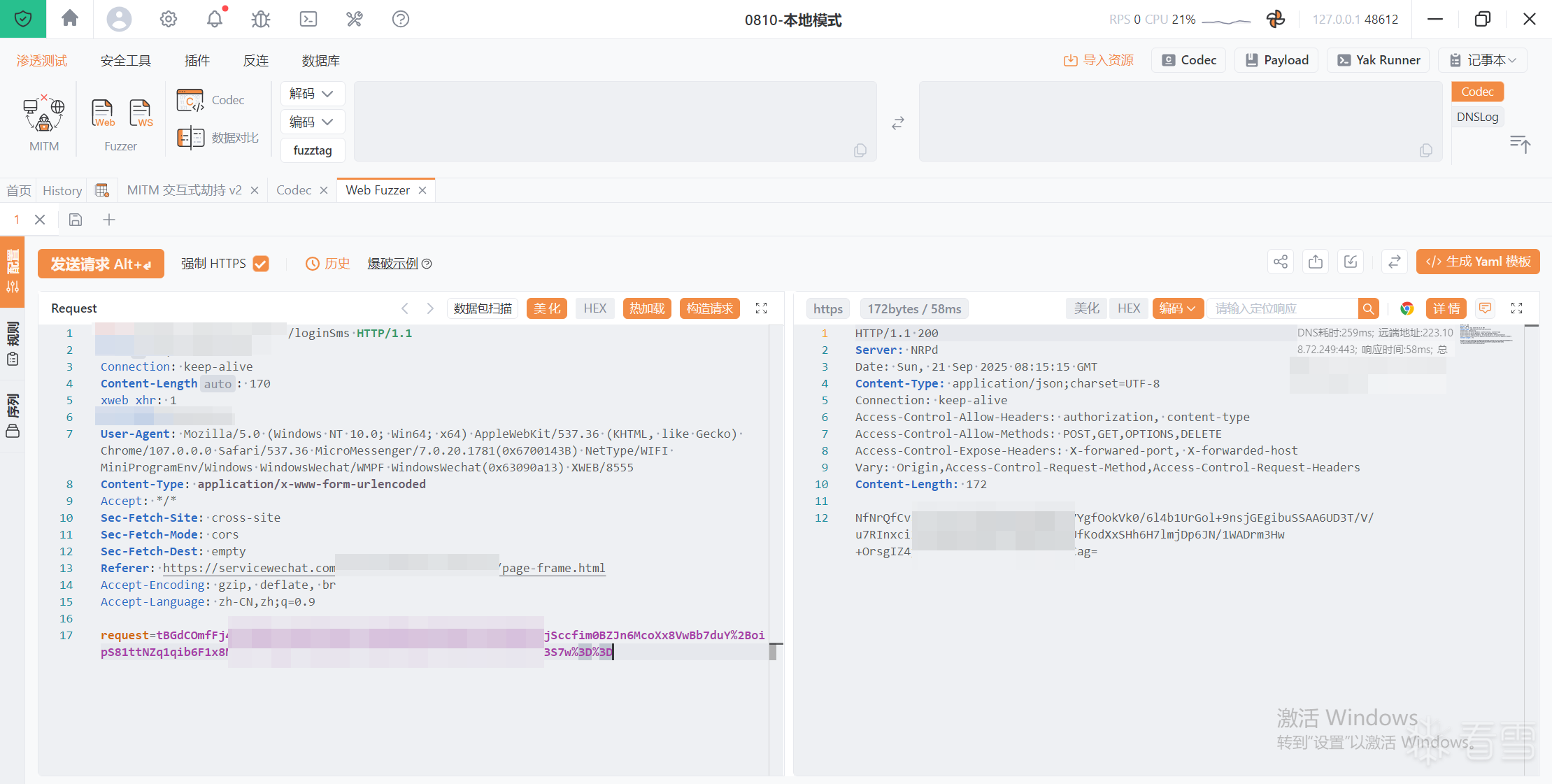 9、分析目标小程序,从云数据库中获取aesKey,赋值给全局变量i.app.globalData.aesKey 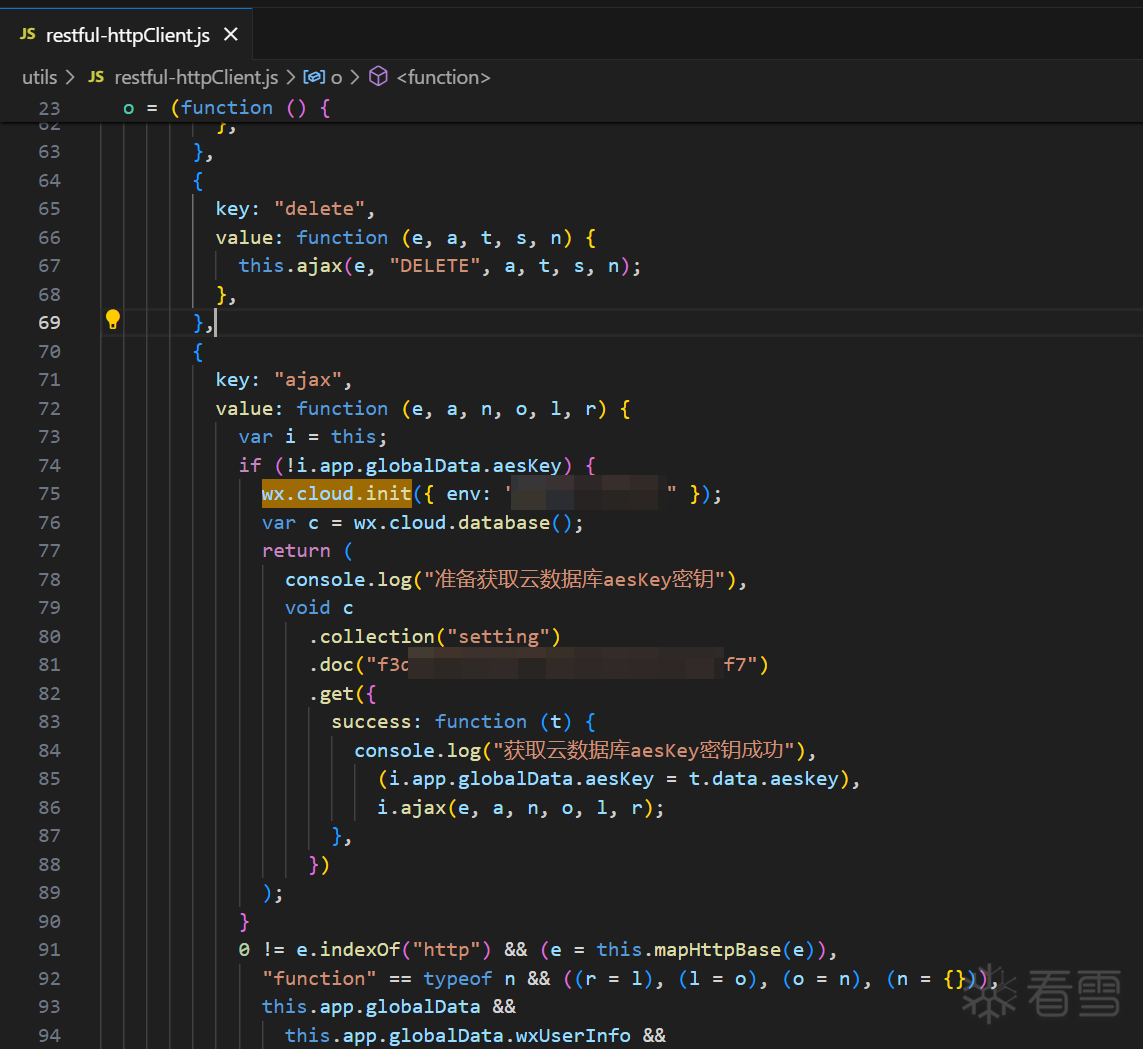 10、开启小程序控制台 ``` .\KillWxapkg_2.4.1_windows_amd64.exe -hook ``` 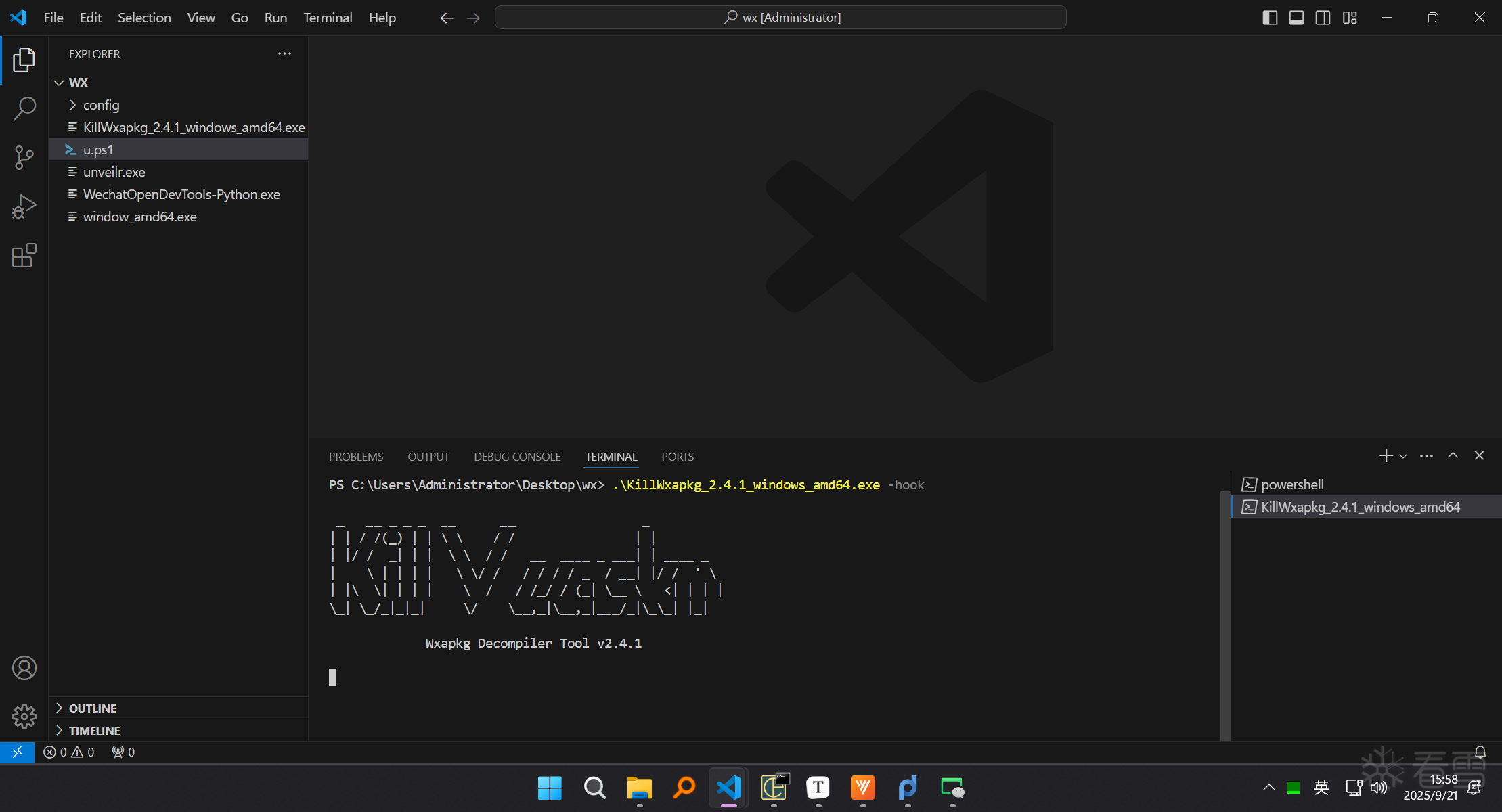 11、点击获取验证码 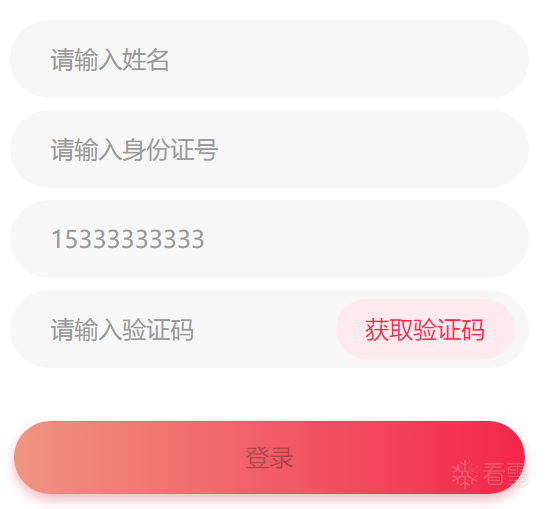 12、控制台点击js  13、断点重新触发请求,依次点击调用堆栈 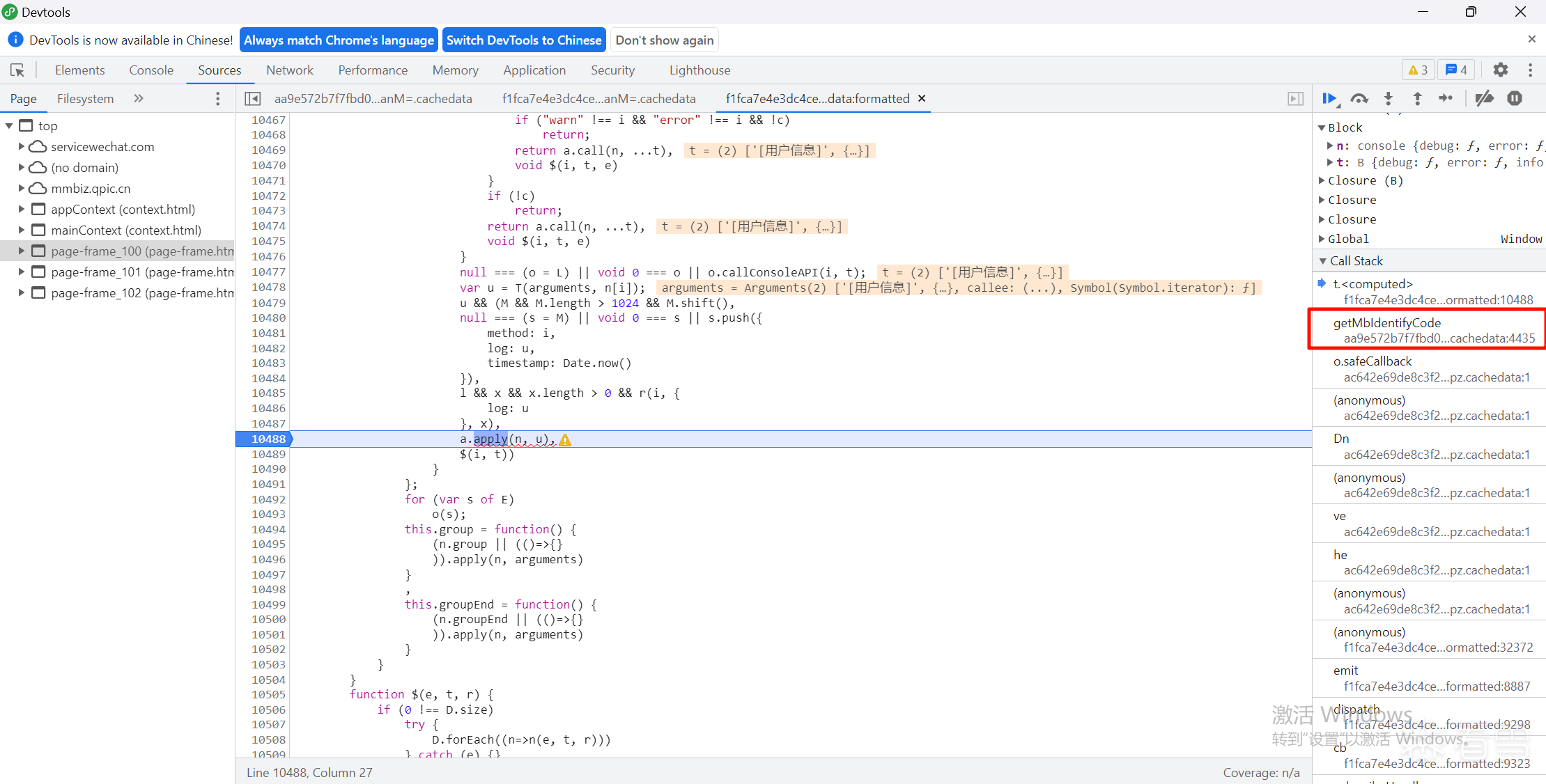 14、搜索wx.cloud.init关键字定位到第九步的restful-httpClient.js 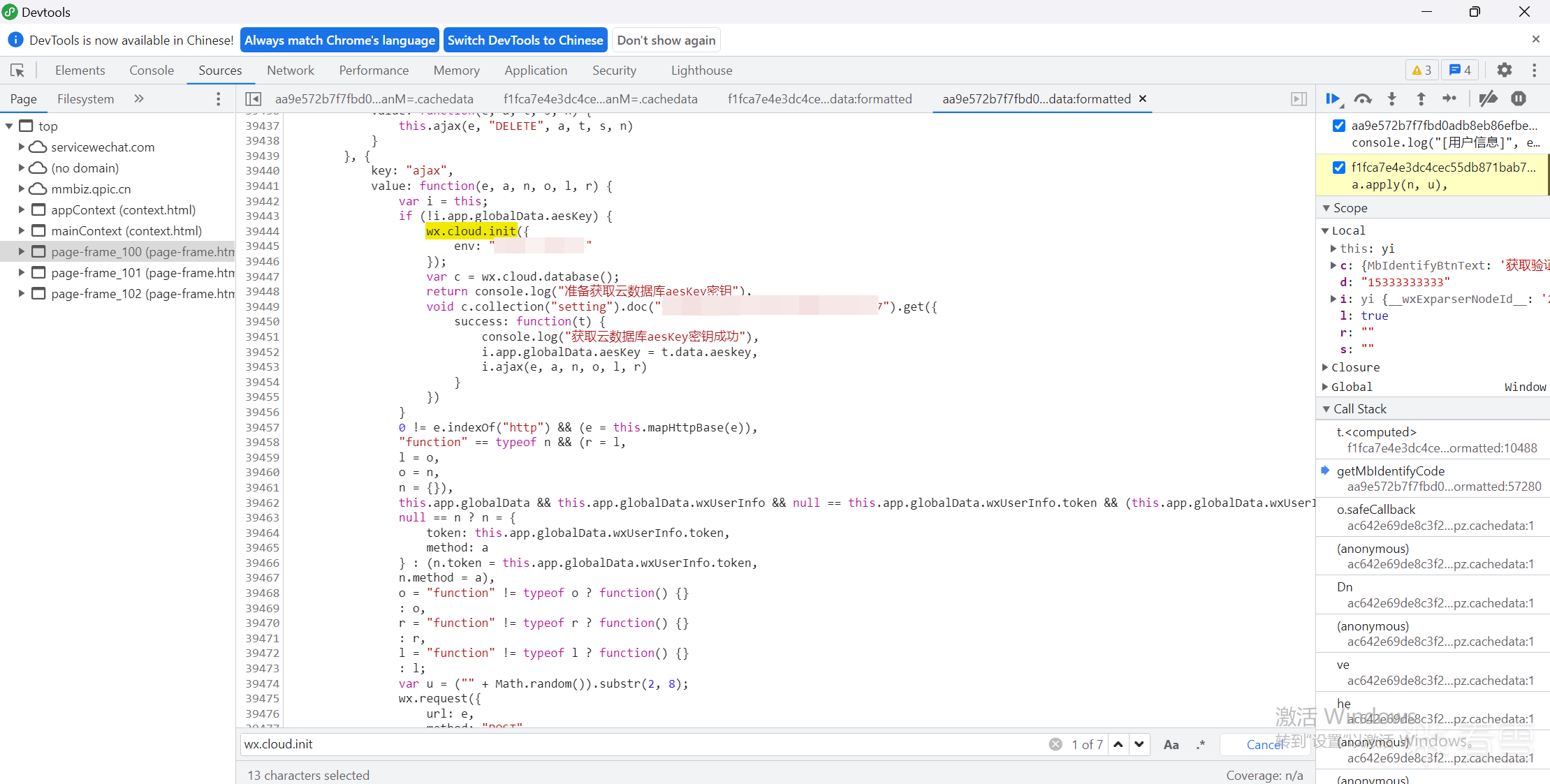 15、断点,控制台获取作用域e的aeskey ``` e.globalData.aesKey ``` 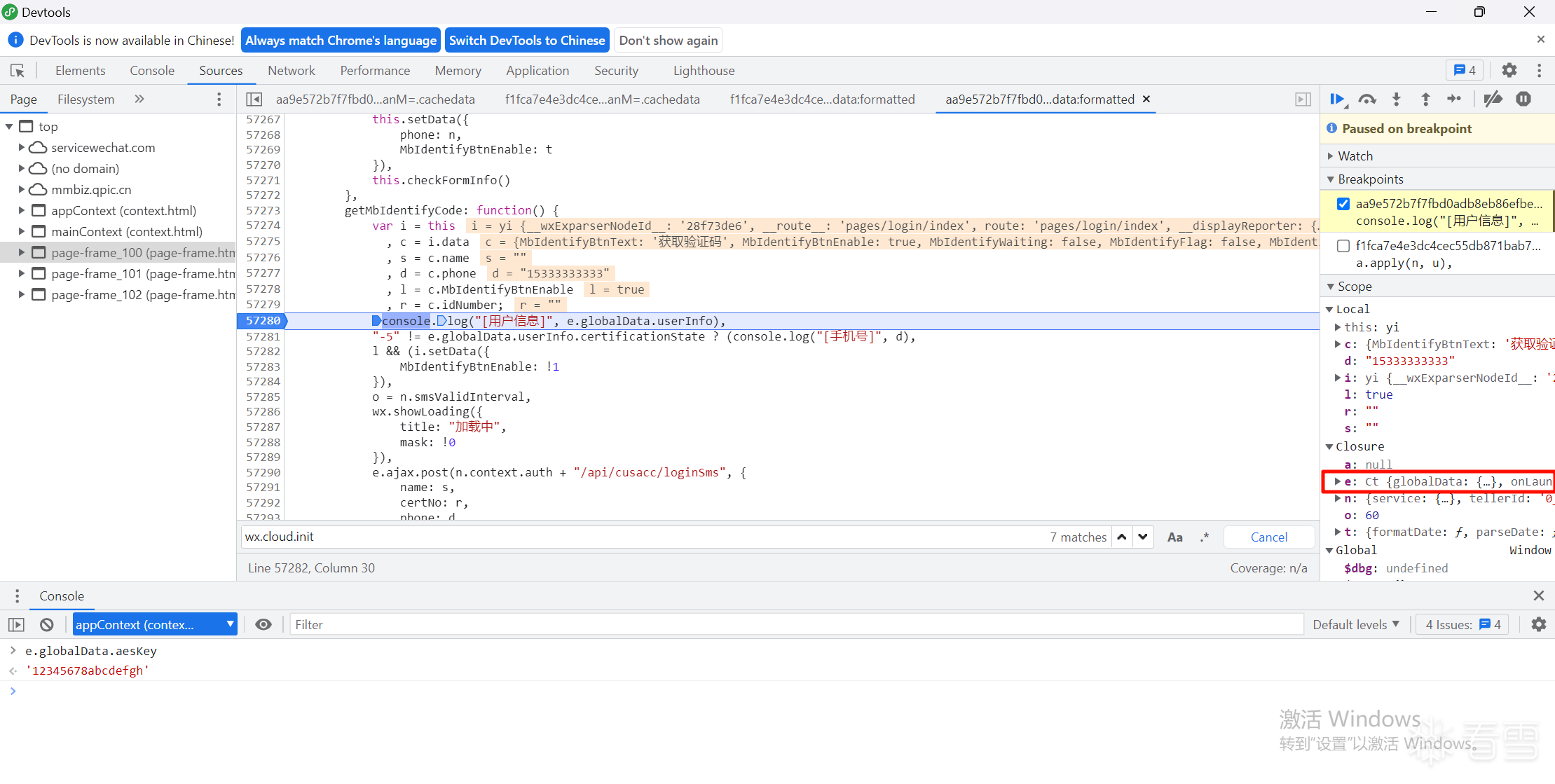 16、解密成功 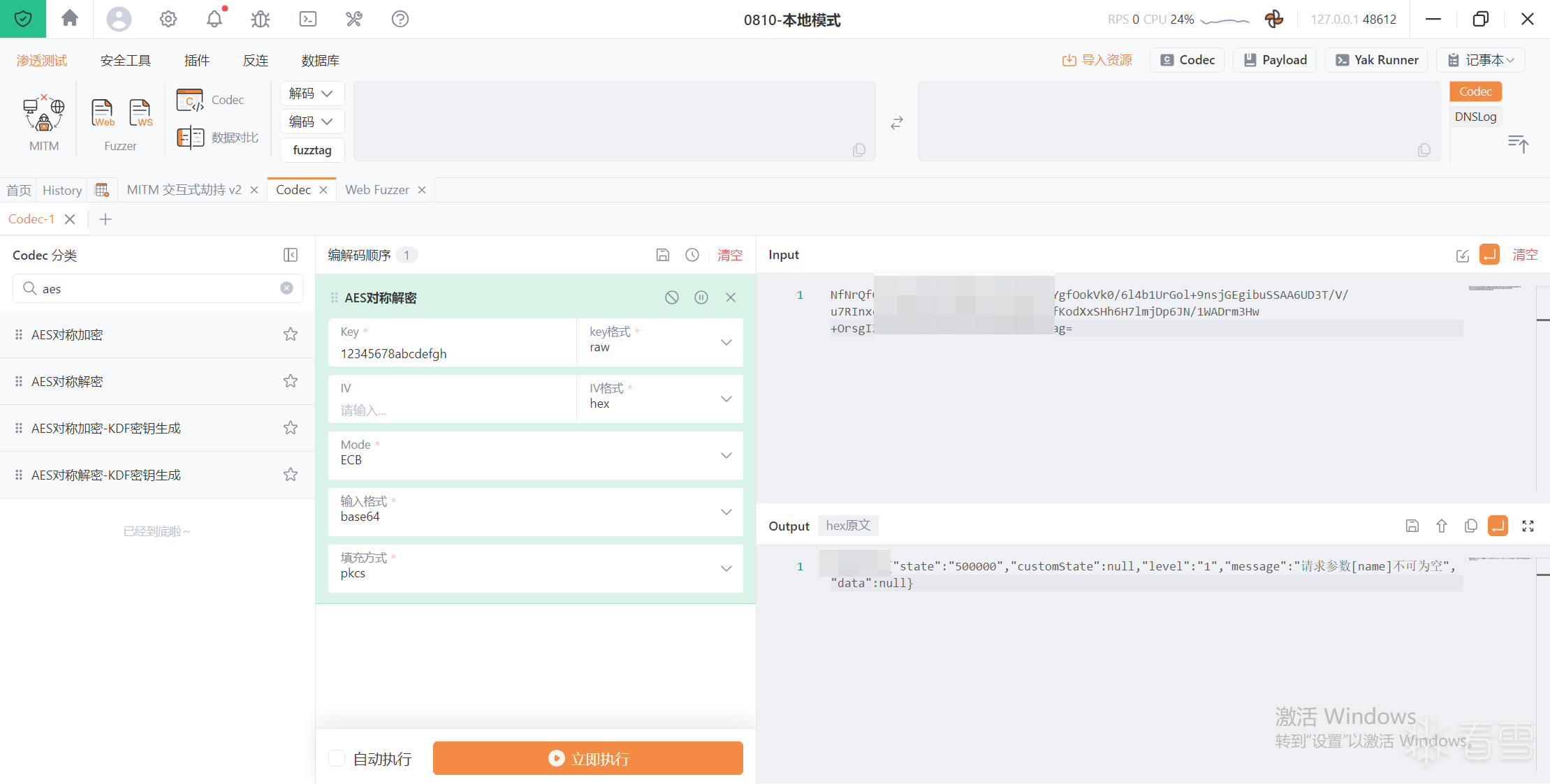
冰与火的战歌:Windows内核攻防实战高级班!从零到实战,融合AI与Windows内核攻防全技术栈,打造具备自动化能力的内核开发高手。
最后于
2025-9-21 17:01 被差不多的张三编辑 ,原因: 添加歌词文案
#其他
收藏
・
3
点赞
・
5
打赏
分享
分享到微信
分享到QQ
分享到微博
赞赏记录
参与人
雪币
留言
时间
wx_晨梦
谢谢你的细致分析,受益匪浅!
2026-7-16 08:05
jjjo
这个讨论对我很有帮助,谢谢!
2026-6-12 16:59
爬下全世界
你的分享对大家帮助很大,非常感谢!
2026-5-10 20:16
NxXB1
感谢你的积极参与,期待更多精彩内容!
2026-1-21 15:51
taibai
你的帖子非常有用,感谢分享!
2026-1-8 17:58
查看更多
赞赏
×
1 雪花
5 雪花
10 雪花
20 雪花
50 雪花
80 雪花
100 雪花
150 雪花
200 雪花
支付方式:
微信支付
赞赏留言:
快捷留言
感谢分享~
精品文章~
原创内容~
精彩转帖~
助人为乐~
感谢分享~
最新回复
(
1
)
爬下全世界
雪 币:
712
能力值:
( LV1,RANK:0 )
在线值:
发帖
0
回帖
7
粉丝
0
关注
私信
爬下全世界
2
楼
还是第一次听说yak呢 膜拜tools大佬
2026-5-10 20:17
0
游客
登录
|
注册
方可回帖
回帖
表情
雪币赚取及消费
高级回复
返回
差不多的张三
19
发帖
13
回帖
0
RANK
关注
私信
他的文章
[原创]【银行逆向百例】18Android逆向之libDexHelper.so梆梆加固壳解密 frida-dexdump脱壳
5282
[原创]【代码审计】客户端代码执行之WebView JavaScript桥接劫持token账号接管
1894
[原创]【银行逆向百例】17Android逆向之libDexHelper梆梆加固frida检测绕过
4494
[原创]【银行逆向百例】16Android逆向之算法助手 frida绕过环境检测分析加密算法
2008
[原创]【银行逆向百例】15小程序逆向之支付宝提取data文件为tar格式
2438
关于我们
联系我们
企业服务
看雪公众号
专注于PC、移动、智能设备安全研究及逆向工程的开发者社区
看原图
赞赏
×
雪币:
+
留言:
快捷留言
为你点赞!
返回
顶部






